
How does Pathport DMX Node handle latency and reliability?
|
- How does Pathport DMX Node specifically guarantee minimal latency and robust reliability in a large-scale, live theatrical or event production environment, especially when dealing with multiple universes and critical timing?
- What are the critical network switch requirements and configuration best practices for integrating multiple Pathport DMX Nodes to avoid common sACN/Art-Net multicast flooding issues and ensure stable DMX distribution?
- When using Pathport DMX Nodes, what are the practical implications and configuration steps for merging DMX signals from two different consoles (e.g., a main and a backup) using HTP or LTP, and how does Pathport handle potential conflicts?
- Practical Implications:
- Configuration Steps (using Pathport Manager software):
- How Pathport Handles Conflicts:
- Beyond basic DMX output, how can Pathport DMX Nodes be effectively utilized to leverage RDM (Remote Device Management) for troubleshooting and configuring intelligent fixtures across a complex lighting rig, and what are its limitations?
- Effective Utilization of RDM via Pathport Nodes:
- Limitations of RDM via Pathport Nodes:
- What are the most reliable power options for Pathport DMX Nodes in a permanent installation or touring setup, and how can I implement power redundancy to prevent DMX signal loss during unexpected power fluctuations or outages?
- Reliable Power Options:
- Implementing Power Redundancy:
- When a Pathport DMX Node isn't outputting DMX as expected, what are the most common diagnostic steps and tools a beginner can use to quickly identify and resolve network or configuration-related problems before calling support?
- 1. Basic Physical Checks:
- 2. Network Connectivity Checks:
- 3. Configuration Checks (using Pathport Manager):
- 4. Console/Software Checks:
- How do Pathport DMX Nodes facilitate scalability and future-proofing for growing lighting systems, allowing for easy expansion without a complete overhaul of the existing control infrastructure?
- 1. Modular and Distributed Architecture:
- 2. Network-Centric Design:
- 3. Flexible Configuration and Management:
- 4. Future-Proofing for RDM and Beyond:
Mastering Pathport DMX Nodes: Your Guide to Latency, Reliability, and Advanced Control
In the world of stage lighting control, transitioning from traditional DMX512 cabling to a robust Ethernet-based system is a significant leap forward. Pathport DMX Nodes are at the forefront of this evolution, offering powerful solutions for distributing DMX over Ethernet using protocols like sACN and Art-Net. However, for beginners, navigating the intricacies of network infrastructure, latency, reliability, and advanced features can be daunting. This guide addresses six critical, pain-point-oriented questions frequently asked by newcomers, providing in-depth answers to help you confidently integrate Pathport DMX Nodes into your lighting setup and optimize your lighting control network.
How does Pathport DMX Node specifically guarantee minimal latency and robust reliability in a large-scale, live theatrical or event production environment, especially when dealing with multiple universes and critical timing?
Pathport DMX Nodes are engineered for high performance and reliability, crucial for live production environments where timing is everything. Their architecture is designed to minimize latency and ensure data integrity through several key mechanisms:
- Dedicated Hardware Processing: Unlike software-based converters, Pathport DMX Nodes utilize dedicated hardware processors to handle the conversion from sACN or Art-Net to DMX512. This significantly reduces processing overhead and ensures consistent, low latency – typically in the sub-millisecond range for the conversion itself. The network latency is then primarily dependent on the quality of your Ethernet network infrastructure.
- Optimized sACN/Art-Net Implementation: Pathport devices fully adhere to the sACN (ANSI E1.31) and Art-Net protocols, which are designed for efficient DMX over Ethernet transmission. sACN, in particular, includes mechanisms for priority and universe synchronization, ensuring that DMX data for different universes arrives and is outputted in a coordinated manner, preventing visual glitches or timing discrepancies across a large rig.
- Robust Network Stack: Pathport nodes feature a hardened network stack capable of handling high volumes of DMX over Ethernet traffic. They support IGMP snooping when used with managed network switches, which prevents multicast DMX traffic from flooding the entire network, directing it only to the ports where Pathport nodes (or other sACN/Art-Net receivers) are listening. This reduces network congestion and improves overall reliability.
- Data Buffering and Error Correction: While DMX is a stream, Pathport nodes employ internal buffering to smooth out any minor network jitter before outputting the DMX signal. Although sACN and Art-Net are UDP-based (connectionless, no inherent error correction at the protocol level), the reliability comes from the robust network design and the speed at which DMX updates are sent (typically 20-40Hz). Any dropped packet is quickly superseded by the next update, making packet loss visually imperceptible in most cases.
- Redundancy Options: Pathport nodes support primary/secondary console configurations (via HTP/LTP merging, discussed later) and can be deployed with redundant network paths. In critical applications, multiple Pathport nodes can be configured to receive the same DMX universe data, providing hardware redundancy in case one unit fails.
What are the critical network switch requirements and configuration best practices for integrating multiple Pathport DMX Nodes to avoid common sACN/Art-Net multicast flooding issues and ensure stable DMX distribution?
Proper network switch selection and configuration are paramount for a stable DMX over Ethernet system. Overlooking these details can lead to severe performance issues, including dropped DMX frames and network instability. Here are the critical requirements and best practices:
- Managed Gigabit Ethernet Switches: Always opt for managed Gigabit Ethernet switches. Unmanaged switches lack the intelligence to handle multicast traffic efficiently, leading to network flooding. Gigabit speeds provide ample bandwidth, even though DMX data itself is not bandwidth-intensive, it ensures headroom for other network traffic and future expansion.
- IGMP Snooping (Internet Group Management Protocol): This is the most crucial feature. IGMP snooping allows the managed switch to listen to IGMP messages from devices (like Pathport nodes) and dynamically manage which ports receive specific multicast traffic. Without it, multicast sACN/Art-Net data for every DMX universe would be sent to every port, overwhelming devices not intended to receive that data. Ensure IGMP snooping is enabled and properly configured on your switch.
- VLANs (Virtual Local Area Networks): For larger or more complex installations, implementing VLANs is a best practice. Create a dedicated VLAN for your lighting control network, separating DMX over Ethernet traffic from other network traffic (e.g., office data, AV streaming). This isolates potential issues and enhances security and performance. Ensure your switch supports VLAN tagging (802.1Q).
- QoS (Quality of Service): While often not strictly necessary for DMX due to its relatively low bandwidth, configuring QoS can prioritize sACN/Art-Net traffic, ensuring it gets preferential treatment during periods of high network congestion. This is more relevant if your lighting network shares infrastructure with other critical systems.
- Disable Energy Efficient Ethernet (EEE): Also known as Green Ethernet or 802.3az, EEE can introduce latency and instability in real-time control applications by powering down unused ports or reducing power during low activity. It should be disabled on all ports connected to Pathport DMX Nodes or other lighting control devices.
- Static IP Addressing or DHCP Reservation: For consistent operation and easier troubleshooting, assign static IP addresses to your Pathport DMX Nodes or use DHCP reservations on your router/server to ensure they always receive the same IP address. This prevents IP conflicts and makes device discovery more reliable.
When using Pathport DMX Nodes, what are the practical implications and configuration steps for merging DMX signals from two different consoles (e.g., a main and a backup) using HTP or LTP, and how does Pathport handle potential conflicts?
Merging DMX signals from multiple sources is a fundamental requirement for many professional lighting setups, especially for main/backup console scenarios or combining different control systems. Pathport DMX Nodes excel at this, offering flexible merging capabilities primarily via HTP (Highest Takes Precedence) and LTP (Latest Takes Precedence).
Practical Implications:
- Redundancy: A primary use case is having a backup console ready to take over seamlessly if the main console fails. Both consoles send DMX data for the same universe, and the Pathport node merges them.
- Distributed Control: Merging allows different control surfaces or software to manage specific aspects of a rig. For example, a main console handles primary lighting, while a secondary controller manages house lights or architectural elements, all feeding into the same DMX universe via Pathport nodes.
Configuration Steps (using Pathport Manager software):
- Identify Sources: Ensure both your main and backup consoles (or other DMX sources) are sending sACN or Art-Net data for the same DMX universe(s) to the network where the Pathport DMX Node is connected.
- Discover Node: Open the Pathport Manager software (available from ETC) and discover your Pathport DMX Node(s) on the network.
- Select Port: Navigate to the specific DMX output port on the Pathport node that you wish to merge signals for.
- Configure Sources: In the port's settings, you will find options to configure DMX sources. Pathport allows you to specify multiple sACN or Art-Net sources for a single DMX output port.
- Choose Merging Mode:
- HTP (Highest Takes Precedence): This is the default and most common for intensity channels. For each DMX channel, the highest DMX value from all active sources is outputted. This is ideal for ensuring that a backup console can take over by simply raising its faders, or for combining multiple intensity sources.
- LTP (Latest Takes Precedence): This is typically used for non-intensity parameters (color, gobos, position). The last source to send a change for a specific channel takes control of that channel. Pathport often uses a priority system within sACN, where sources with higher sACN priority values will override lower priority sources for LTP channels. If priorities are equal, the latest rule applies.
- Set Priorities (sACN): If using sACN, you can assign different sACN priority levels to your consoles. A higher priority console will always take precedence over a lower priority one for any channel it controls, regardless of HTP/LTP. This is a powerful way to manage conflicts and ensure a master console always has control.
- Monitor: Pathport Manager often provides real-time monitoring of incoming DMX sources and the resulting merged output, allowing you to verify your configuration.
How Pathport Handles Conflicts:
Pathport DMX Nodes handle conflicts elegantly based on the configured merging mode and sACN priorities. For HTP, it's a simple highest value wins. For LTP, if priorities are set, the higher priority source dictates the channel value. If priorities are equal, the node will typically use the last received value for that specific channel from any of the active sources. This intelligent merging prevents DMX signal corruption and ensures a smooth transition or combination of control.
Beyond basic DMX output, how can Pathport DMX Nodes be effectively utilized to leverage RDM (Remote Device Management) for troubleshooting and configuring intelligent fixtures across a complex lighting rig, and what are its limitations?
RDM (Remote Device Management) is a powerful extension to DMX512, allowing bi-directional communication between a lighting controller and RDM-enabled fixtures over the same DMX line. Pathport DMX Nodes are fully RDM compliant, transforming your DMX over Ethernet network into a comprehensive RDM management system.
Effective Utilization of RDM via Pathport Nodes:
- Fixture Discovery and Addressing: The most immediate benefit. From your RDM-enabled console or software (e.g., ETC's Eos family, or third-party RDM software), you can discover all RDM-enabled fixtures connected to a Pathport DMX output. You can then remotely set their DMX start addresses, mode, and other parameters without physically accessing each fixture. This is invaluable in complex rigs or hard-to-reach locations.
- Status Monitoring and Diagnostics: RDM allows you to monitor fixture status in real-time. You can check sensor data (temperature, fan speed), lamp hours, error messages, and even trigger self-tests. This significantly speeds up troubleshooting when a fixture isn't behaving as expected, helping diagnose issues like overheating or power problems.
- Configuration Management: Beyond addressing, RDM enables remote configuration of various fixture parameters. This could include setting pan/tilt limits, inversion, personality modes, fan behavior, and more. This saves immense time during setup and allows for quick adjustments during rehearsals or shows.
- Firmware Updates (Limited): Some advanced RDM implementations allow for remote firmware updates of fixtures. While not universally supported by all fixtures or RDM controllers, Pathport nodes facilitate this if the end-to-end system supports it.
- Network Integration: By acting as an Ethernet-to-DMX/RDM gateway, Pathport nodes seamlessly integrate RDM into your IP-based lighting control network. This means your console can manage RDM devices across the entire network, regardless of their physical location, as long as they are connected to a Pathport output.
Limitations of RDM via Pathport Nodes:
- Fixture Compatibility: RDM functionality is entirely dependent on the connected lighting fixtures being RDM-enabled. Older fixtures or those not designed with RDM will not respond.
- Controller Support: Your lighting console or control software must also be RDM-enabled and capable of sending and receiving RDM commands. Pathport nodes are the bridge, but the intelligence resides in the controller.
- Bandwidth and Latency: While RDM shares the DMX line, extensive RDM polling or complex RDM commands can momentarily impact DMX refresh rates. Pathport nodes are designed to prioritize DMX data, but heavy RDM traffic can still introduce minor delays. It's generally not recommended to constantly poll all RDM parameters during a live show.
- Cable Quality and Length: RDM, like DMX, is sensitive to cable quality. Using proper DMX-rated (120 Ohm, low capacitance) cables is crucial for reliable RDM communication, especially over longer runs. Poor cabling can lead to dropped RDM packets or unreliable responses.
- Complexity for Beginners: While powerful, RDM adds another layer of complexity. Understanding RDM PIDs (Parameter IDs) and proper RDM workflow requires some learning, which can be a hurdle for absolute beginners.
What are the most reliable power options for Pathport DMX Nodes in a permanent installation or touring setup, and how can I implement power redundancy to prevent DMX signal loss during unexpected power fluctuations or outages?
Ensuring reliable power for your Pathport DMX Nodes is critical for uninterrupted DMX distribution. Both permanent installations and touring setups have unique considerations for power and redundancy.
Reliable Power Options:
- Power over Ethernet (PoE): Many Pathport DMX Node models (e.g., Pathport UNO, OCTO, QUATTRO) are PoE-enabled (IEEE 802.3af or 802.3at). This is often the most convenient and reliable option, especially for distributed nodes. PoE eliminates the need for local power outlets at each node location, simplifying cabling and reducing potential points of failure. Ensure your network switch provides sufficient PoE power for all connected nodes.
- External Power Supply: For nodes that are not PoE-enabled, or when PoE is not available, Pathport nodes typically come with or can be powered by an external DC power supply. These should be high-quality, regulated power supplies specifically designed for the node's voltage and current requirements. It's crucial to use the manufacturer-recommended power supply or an equivalent to prevent damage or unreliable operation.
- Rack-Mount Power Distribution Units (PDUs): In rack-mounted installations, using a professional PDU with surge protection and filtering is highly recommended. This protects against power spikes and provides clean power to all rack-mounted equipment, including Pathport nodes.
Implementing Power Redundancy:
Power redundancy is essential to prevent DMX signal loss during unexpected power events. Here are several strategies:
- Redundant PoE Switches: If using PoE, deploy two separate PoE-enabled network switches, each powered from a different electrical circuit or UPS. Connect each Pathport node to both switches (if the node supports redundant network connections, or by having two nodes per location, each on a different switch). If one switch or its power source fails, the other takes over. This also provides network redundancy.
- Uninterruptible Power Supplies (UPS): Connect your primary PoE switch (or the individual power supplies for your Pathport nodes) to a UPS. A UPS provides battery backup power during short outages and conditions the power, protecting against surges and brownouts. Size the UPS appropriately to provide sufficient runtime for your critical lighting control components.
- Dual Power Supplies (for nodes that support it): Some high-end Pathport models or rack-mounted solutions might offer dual, hot-swappable power supplies. In such a configuration, if one power supply fails, the other seamlessly takes over without interruption.
- Separate Circuits: Ensure that your critical lighting control components (consoles, primary network switches, Pathport nodes) are powered from different electrical circuits than non-essential equipment. This minimizes the risk of a single circuit overload affecting your entire control system.
- Generator Backup: For large-scale events or permanent installations, a generator backup system for the entire venue or critical systems provides the power redundancy, ensuring operation even during prolonged power failures.
When a Pathport DMX Node isn't outputting DMX as expected, what are the most common diagnostic steps and tools a beginner can use to quickly identify and resolve network or configuration-related problems before calling support?
Troubleshooting is an inevitable part of any complex system. When your Pathport DMX Node isn't behaving as expected, a systematic approach can quickly pinpoint the issue. Here are common diagnostic steps for beginners:
1. Basic Physical Checks:
- Power: Is the node powered on? Check the power LED. If using PoE, ensure the network switch port is providing power and the PoE LED on the node is lit. If using an external power supply, ensure it's securely connected and the outlet is live.
- Network Cable: Is the Ethernet cable securely connected at both ends? Check for damaged cables. Try a known-good cable. Ensure the link/activity LEDs on both the node and the switch port are lit and flashing, indicating network activity.
- DMX Cable: Is the DMX cable securely connected from the Pathport output to your fixture? Is it a proper DMX-rated cable (120 Ohm)? Is the DMX chain properly terminated at the last fixture?
2. Network Connectivity Checks:
- IP Address: Verify the Pathport node's IP address. You can usually see this on the node's display (if it has one) or by using the Pathport Manager software's discovery function. Ensure it's on the same subnet as your console/control PC.
- Ping Test: From your control PC, open a command prompt (Windows) or Terminal (macOS) and type
ping. If you get replies, the node is reachable on the network. If not, there's a network connectivity issue (cable, switch, IP configuration). - Pathport Manager Discovery: Can the Pathport Manager software discover the node? If not, it's a strong indicator of a network problem (IP address mismatch, firewall, switch configuration).
- Switch Status: Check the port status on your managed network switch. Is the port active? Are there any error counters increasing rapidly? Is IGMP snooping configured correctly for the VLAN the node is on?
3. Configuration Checks (using Pathport Manager):
- DMX Output Enable: Ensure the specific DMX output port on the Pathport node is enabled and configured to output DMX.
- Universe Assignment: Verify that the DMX output port is assigned to the correct DMX universe that your console is transmitting. Mismatched universes are a very common mistake.
- Source Configuration: Check the sACN/Art-Net sources configured for that universe. Is your console's IP address and sACN/Art-Net universe correctly listed as a source? Is the priority correct if merging is enabled?
- Input Monitor: Pathport Manager often has an input monitor that shows incoming sACN/Art-Net data. Verify that your console is actually sending data to the correct universe and that the Pathport node is receiving it.
- Firmware: Ensure the Pathport node has the latest firmware. Outdated firmware can sometimes cause unexpected behavior or compatibility issues.
4. Console/Software Checks:
- sACN/Art-Net Output: Is your lighting console or control software configured to output sACN or Art-Net? Is it enabled? Is it sending data to the correct universe and multicast/unicast IP address?
- Firewall: Ensure your computer's firewall isn't blocking sACN or Art-Net traffic. Temporarily disabling it can help diagnose if it's the culprit.
By systematically going through these steps, you can often quickly identify whether the problem lies with power, cabling, network connectivity, Pathport node configuration, or your lighting console's output.
How do Pathport DMX Nodes facilitate scalability and future-proofing for growing lighting systems, allowing for easy expansion without a complete overhaul of the existing control infrastructure?
Scalability and future-proofing are core strengths of Pathport DMX Nodes, making them an excellent investment for evolving lighting systems. Their Ethernet-based architecture provides significant advantages over traditional DMX cabling for expansion:
1. Modular and Distributed Architecture:
- Add Universes Incrementally: Unlike a DMX splitter-based system where adding universes means running more DMX cables from the console, Pathport nodes allow you to add DMX universes simply by adding more Pathport nodes to your existing Ethernet network. Each node can output multiple DMX512 universes (e.g., Pathport OCTO outputs 8 universes), making expansion straightforward.
- Geographic Distribution: Nodes can be placed anywhere on the network where DMX is needed, regardless of the console's location. This is ideal for large venues, multi-room installations, or distributed stage lighting systems. You can add nodes in different areas without running long DMX home runs.
2. Network-Centric Design:
- Leverage Existing Network Infrastructure: If you have a robust Ethernet network, you can often leverage it for your lighting control, reducing the need for new cable runs. As your system grows, you simply expand your network switch capacity.
- Standard Protocols (sACN/Art-Net): Pathport nodes use industry-standard protocols. This ensures compatibility with a vast range of lighting consoles, software, and other DMX over Ethernet devices, future-proofing your investment against proprietary lock-ins.
- High Bandwidth: Gigabit Ethernet provides immense bandwidth capacity, far exceeding the needs of hundreds of DMX universes. This ensures that even a massively expanded system won't be bottlenecked by the network itself.
3. Flexible Configuration and Management:
- Pathport Manager Software: The intuitive Pathport Manager software allows you to discover, configure, and monitor all your Pathport nodes from a central location. As you add more nodes, managing them remains efficient.
- Dynamic Universe Assignment: DMX universes can be dynamically assigned to any output port on any Pathport node. If your stage layout changes or you need to re-route DMX, it's a simple software change, not a re-cabling effort.
- Merging and Prioritization: As your system grows, you might introduce more control sources. Pathport's advanced merging and sACN priority features allow you to seamlessly integrate new consoles or control systems without conflicts, ensuring a cohesive lighting control network.
4. Future-Proofing for RDM and Beyond:
- RDM Support: Pathport nodes are RDM compliant, allowing you to integrate RDM-enabled fixtures as they become more prevalent. This means your infrastructure is ready for advanced remote management capabilities.
- Firmware Updates: ETC regularly releases firmware updates for Pathport nodes, adding new features, improving performance, and ensuring compatibility with evolving standards. This extends the lifespan and utility of your hardware.
By embracing Pathport DMX Nodes, you build a scalable, flexible, and future-ready lighting control system that can adapt to the demands of any production, from intimate theatrical settings to sprawling live events, without requiring a costly and time-consuming overhaul.
Pathport DMX Nodes offer unparalleled advantages in modern stage lighting control, providing robust reliability, minimal latency, and incredible scalability. From simplifying network infrastructure with smart switch configurations to enabling advanced DMX merging and RDM capabilities, these devices empower lighting professionals to create more dynamic and reliable lighting systems. Their modular design ensures that your investment is future-proof, allowing for seamless expansion and adaptation to evolving production needs. By understanding and leveraging these core functionalities, you can build a lighting control network that is both powerful and resilient.
For further inquiries or to discuss how Pathport DMX Nodes can enhance your specific stage light control system, please contact us for a personalized quote. Visit www.rgbsystem.com or email us at info@rgbsystem.com.
Latest News
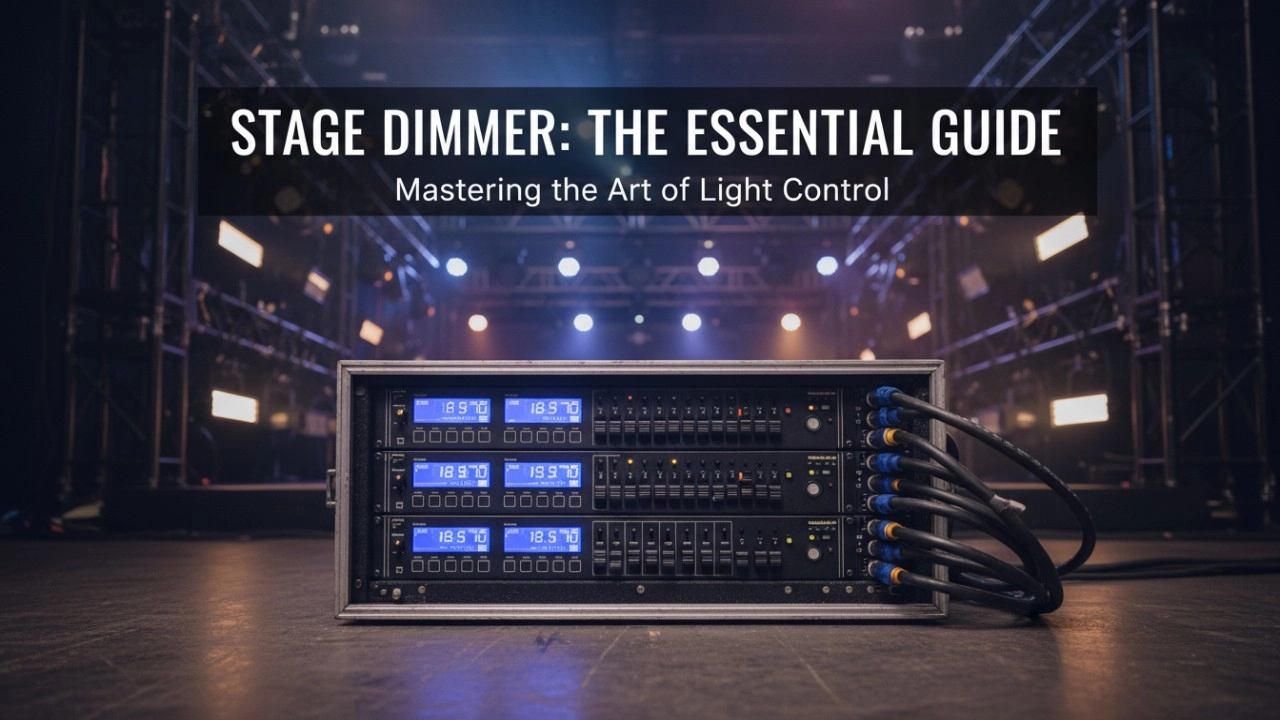
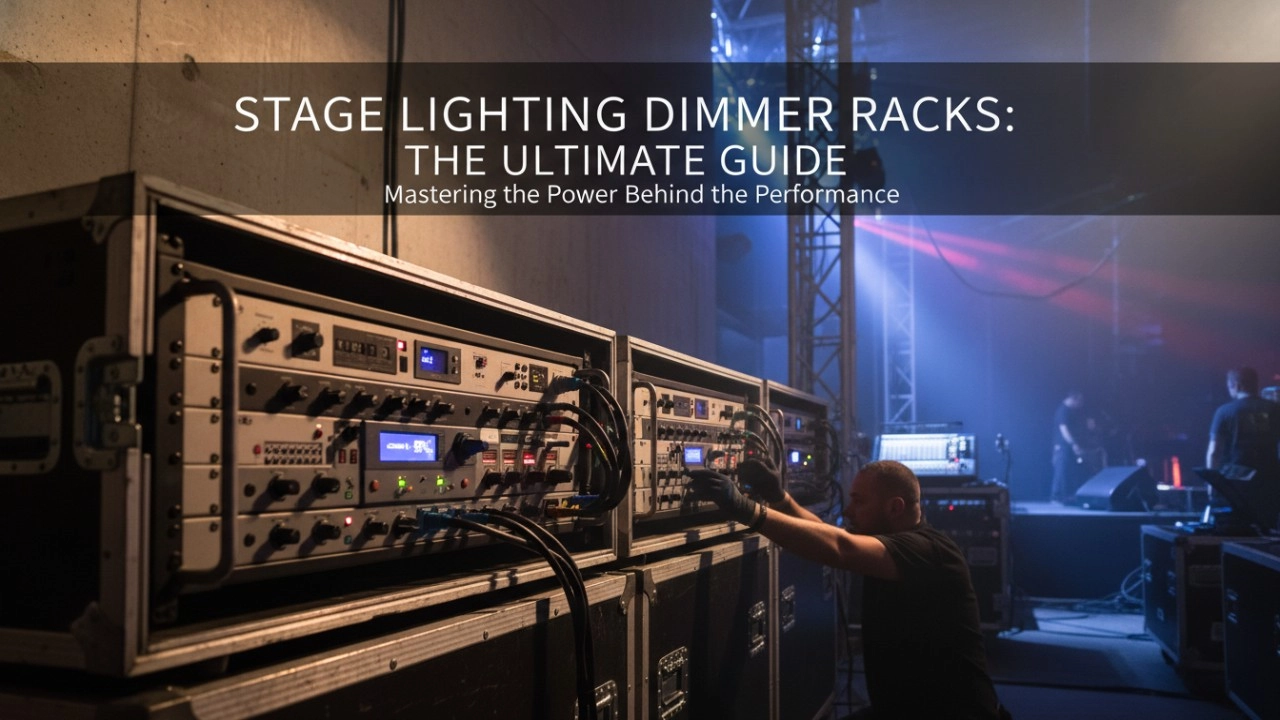
A comprehensive 2026 guide to selecting high-performance stage lighting dimmer racks. We review top hybrid systems, explore SCR vs sine wave technology, and analyze essential features like ThruPower for modern venues.
8 Series Intellight Dimmer/Relay Packs
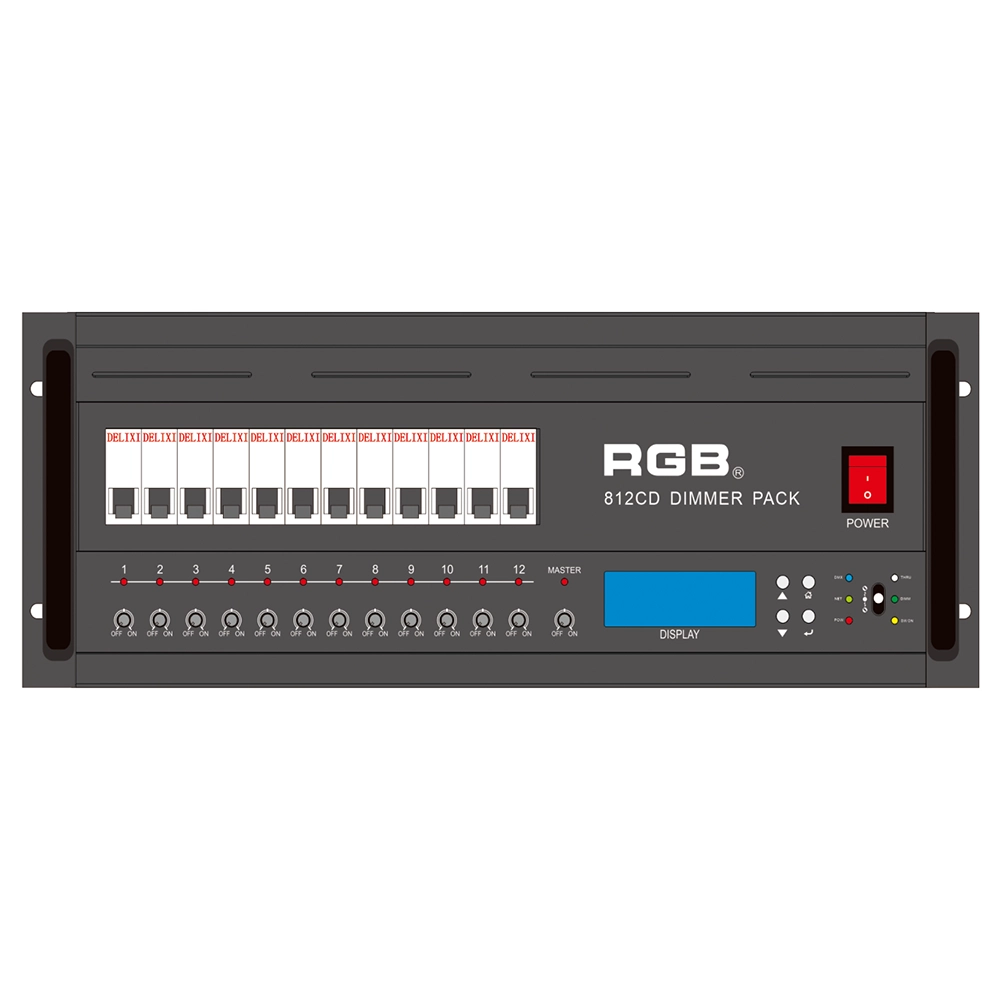
RGB is the latest development and production of all digital, intelligent, and network dimming through the hybrid silicon box. It comes with six channels (806 silicon box), twelve channels (812 silicon box) with analog knob dimming, 49 DMX field recordings and replays (field backup function), and self-programming and recording field. RGB-8 silicon box with DMX512 digital signal input and RJ45 network input interface, with various types of dimming stations at home and abroad used. It is a powerful, stable performance and reliable work of a new generation of intelligent digital dimming through a hybrid silicon box.
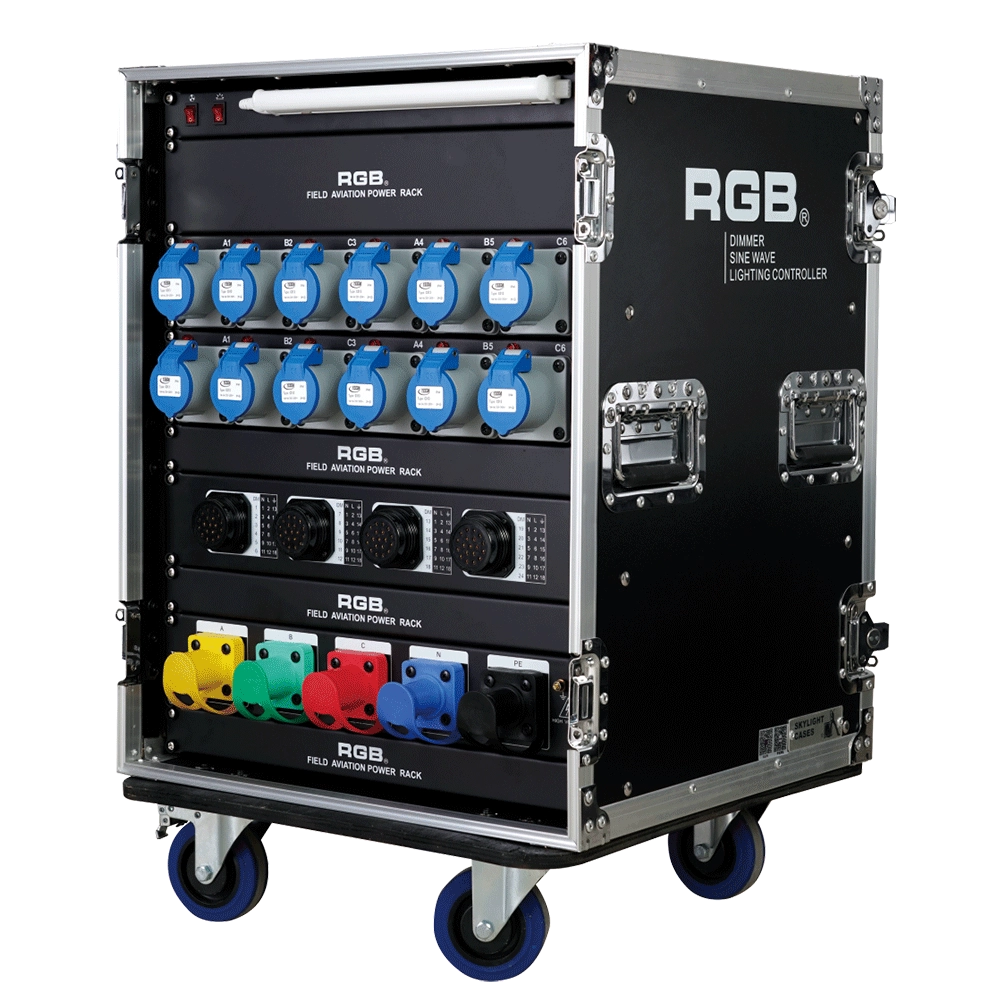
ZT2419+1216 Distribution Box
ZT2419+1216 features dual protection functions and is a power distribution product specifically designed for overcurrent and short circuits in electrical equipment. It is the best choice for mobile performance and is suitable for use in computer lamps, conventional lamps, and other equipment.
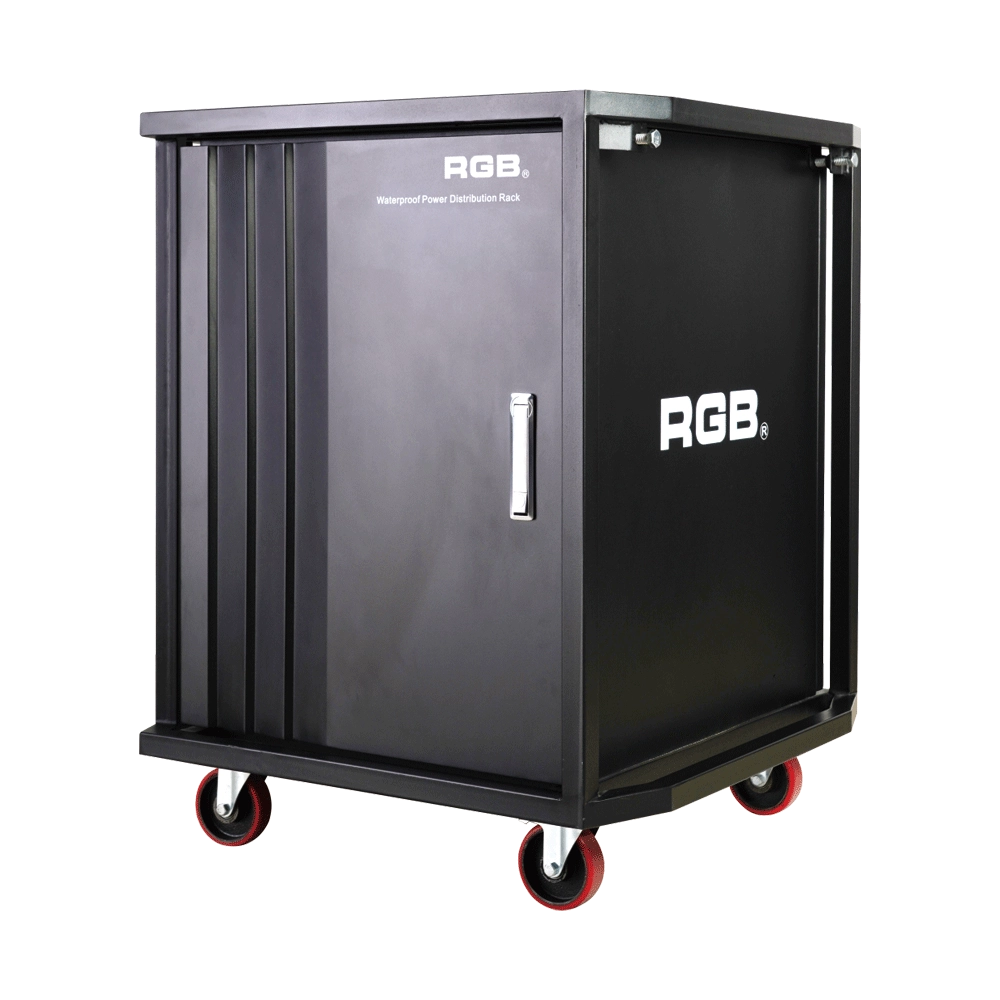
Multifunction Waterproofing Racks Of RGB-W Series
With the continuous development of flow performance, the requirement for performance is more demanding. In order to facilitate the transportation and make it easier to carry for all the equipment used in the performance, the stage light and sound equipment will be installed into a cabinet, for example, the power supply system. During the transportation process, it is inevitable for a collision or crash to take place. If the cabinet material is not strong enough, it may lead to deformation and even damage the equipment inside. Moreover, most of the existing cabinets are not waterproof. It will be very dangerous for the flow performance, as it is normal and inevitable to encounter rainy days. As the equipment inside the cabinets is electriferous, it might cause damage to the electronic equipment at least and even cause casualties at worst. Meanwhile, most of the existing cabinets can only be installed with one kind of equipment with a single variety.
In order to overcome the above-mentioned technical flaw, the RGB company has developed a new type of waterproofing multifunction cabinet of the W series. The waterproofing cabinet of the W series meets the need for the installation of dimming and tone-tuning devices, transportation, and utilization.
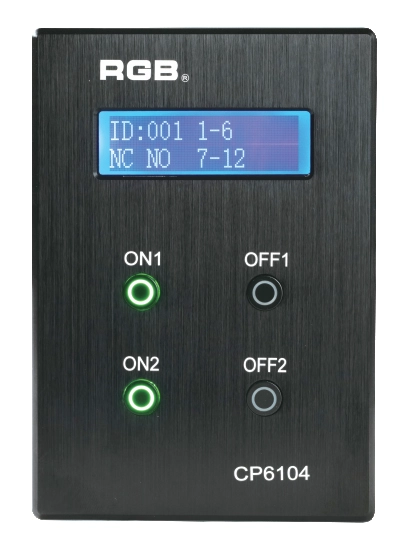
Site Light Controller CP6104
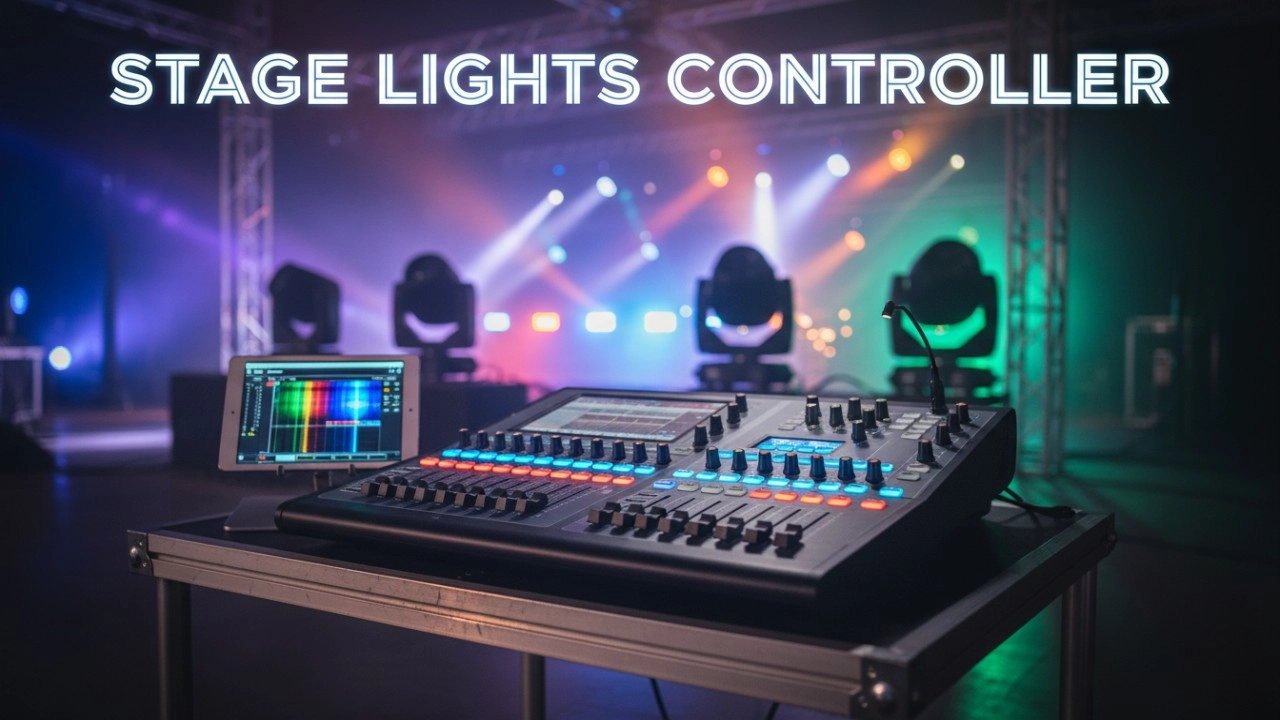
The CP6104 lighting control panel is a lighting control device for theater stage lights, work lights, environmental lighting, commercial art lighting, sports venue lighting and other places. By connecting to the dedicated lighting control host CP6100, it realizes the central control of the lighting system, supports a visual lighting control system, and intuitively displays the online and offline status of CP6104. Realize remote monitoring, editing and setting of corresponding parameters.
It is widely applicable to theaters, cinemas, auditoriums, stadiums, museums, exhibition halls, cultural tourism performances, commercial art lighting and other places.
Expert Support
Interested in learning more or need expert guidance related to this article? Fill in your details, and our team will provide tailored support.
Intelligent Control. Brilliant Performance.
RGB specializes in stage lighting control systems, delivering intelligent, reliable, and high-performance solutions for theaters and performance spaces worldwide.
Contact
Email:
Tel:
+86 20 3928 0245
+86 20 3928 0247
Address:
No.3, Huashan Road, Shilou Town, Panyu, Guangzhou, China.
Whatsapp: +8615975520131