
The Ultimate Guide to DMX Network Nodes: How They Work and Why Your Stage Lighting Needs One
|
- Introduction
- What is a DMX network node?
- How does a DMX node work?
- Why do you need a DMX network node for stage lighting?
- What is the difference between a DMX node and a DMX splitter?
- How many DMX universes can a network node handle?
- What network protocols are supported by DMX nodes?
- How do you configure a DMX network node?
- How to choose the right DMX network node for your setup?
- Conclusion
- Call to Action
Introduction
Modern stage lighting is an incredibly complex art form, often requiring thousands of parameters to control intelligent fixtures, media servers, and pixel-mapped LED video walls. Managing this immense amount of data reliably requires robust infrastructure that goes far beyond traditional cabling methods.
As the entertainment industry has shifted from standard serial networks to advanced, high-speed Ethernet-based networks, the need for specialized data translation devices has become paramount. This transition has allowed lighting designers to scale their shows to unprecedented sizes without being bottlenecked by hardware limitations.
At the heart of this technological evolution is the DMX network node. Serving as the unsung hero of the modern lighting control system, this device seamlessly bridges the gap between sophisticated IP networks and the physical lighting fixtures hanging on the stage.
What is a DMX network node?
A DMX network node is a hardware device that translates lighting control data sent over an Ethernet network into standard physical DMX signals. Essentially, it acts as a digital bridge or translator for your lighting control system, moving data from an IP network to individual stage fixtures.
While older lighting setups relied on running long, heavy, and expensive DMX cables directly from the lighting console to the fixtures, modern productions utilize standard IT infrastructure. The node receives IP-based packets containing lighting commands and converts them into the serial data that traditional stage lights can understand.
According to historical standards, the DMX architecture was initially created in 1986 by the Engineering Commission of the United States Institute for Theatre Technology to standardize the control of dimmers. Today, a DMX network node ensures that this legacy DMX512 protocol continues to function flawlessly alongside cutting-edge, high-bandwidth Ethernet networks.
How does a DMX node work?
A DMX node works by functioning as an Ethernet to DMX interface. It connects to a local area network (LAN) via a standard RJ45 Ethernet cable, listening for specific data packets broadcasted or unicasted by the lighting console.
When the lighting control system generates cues, fader movements, or color changes, it packages this data into network protocols. The DMX node receives these IP packets, decodes the embedded lighting information, and assigns the correct data values to the appropriate output ports on the device.
Once the data is processed, the node outputs the information as a standard electrical signal via traditional 3-pin or 5-pin XLR connectors. This continuous stream of digital multiplexing data is then sent down the daisy-chain of lighting fixtures, telling each specific light precisely what to do at any given microsecond.
Advanced DMX nodes also support bi-directional communication through standards like RDM (Remote Device Management). This allows the node to not only send commands to the fixtures but also receive health status, temperature, and address information back from the lights and pass it back to the console over the network.
Why do you need a DMX network node for stage lighting?
As productions grow in size and complexity, you need a DMX network node to overcome the hard limitations of traditional DMX wiring. A single DMX cable can only carry data for 512 channels, which is vastly insufficient for modern setups that use multi-parameter intelligent fixtures and complex pixel arrays.
Running dozens of individual DMX cables from the front-of-house console to the stage is logistically difficult, heavy, and prone to signal degradation. By utilizing a network node, you can send hundreds of DMX universes over a single lightweight Cat5e or Cat6 Ethernet cable, drastically simplifying your cable runs.
Furthermore, DMX nodes offer incredible flexibility for stage lighting layouts. You can place nodes strategically around the stage, truss, or venue, creating localized distribution points. This localized approach not only saves cable but also makes troubleshooting significantly easier during a live production.
Lastly, utilizing a node future-proofs your venue. As lighting technologies evolve and channel counts continue to skyrocket, having an IP-based backbone means you can simply add more nodes to your network switch rather than pulling new, dedicated control lines across the building.
What is the difference between a DMX node and a DMX splitter?
The fundamental difference between a DMX node and a DMX splitter lies in how they receive and process data. A DMX network node receives data over an Ethernet connection using IP protocols and translates it into a physical DMX signal.
In contrast, a DMX splitter (also known as an opto-splitter or DMX buffer) receives a standard physical DMX signal via an XLR cable and simply duplicates it. It electronically isolates and boosts the existing signal, splitting it into multiple identical outputs without altering or translating the data.
While a node is an Ethernet to DMX translator capable of outputting multiple unique DMX universes from a single network cable, a splitter only outputs copies of the exact same single universe it received. You cannot use a splitter to increase your total channel count; you can only use it to bypass the standard daisy-chain limits of 32 fixtures per line.
In modern stage lighting setups, both devices are often used together. A centralized DMX network node might output several unique universes of data onto the stage, and those individual universes might then be fed into local DMX splitters to distribute the signal to various truss lines safely.
How many DMX universes can a network node handle?
The number of DMX universes a network node can handle depends entirely on the specific hardware model and its processing power. A single universe consists of exactly 512 channels of lighting control data.
Entry-level DMX nodes typically support between 1 to 4 universes, making them ideal for small theaters, clubs, or localized truss structures. These compact devices are cost-effective and provide just enough outputs for standard conventional and moving light rigs.
Mid-range and professional-grade nodes can handle anywhere from 8 to 16 universes simultaneously. These units are usually rack-mountable and designed to serve as the main distribution hub for medium-to-large concert tours, broadcast studios, and high-tier theatrical productions.
At the highest end, some advanced processing nodes and media servers can manage hundreds of universes internally and distribute them across multiple networked expansion nodes. Because the network backbone is highly scalable, the actual limit is often determined by the bandwidth of your network switch and the processing capability of your lighting console, rather than the nodes themselves.
What network protocols are supported by DMX nodes?
DMX network nodes primarily support two major industry-standard protocols: Art-Net and sACN. These protocols define how the lighting data is packaged and transported across the Ethernet infrastructure, ensuring seamless communication between the console and the lights.
Art-Net is one of the oldest and most widely adopted protocols in the entertainment lighting industry. Invented in 1998, it is a royalty-free communication protocol developed by Artistic Licence to transmit the DMX512-A lighting control protocol over the User Datagram Protocol (UDP). Art-Net is incredibly versatile and supported by virtually every modern lighting console and node on the market.
Alternatively, sACN (Streaming Architecture for Control Networks) is a newer protocol developed by ESTA and ratified as the ANSI E1.31 standard. sACN operates similarly to Art-Net but utilizes multicasting, which is far more efficient at managing network traffic. Instead of broadcasting data to every device on the network, sACN ensures that data only goes to the nodes that actively require it.
Many modern DMX nodes support both Art-Net and sACN simultaneously, allowing users to choose the protocol that best fits their network topology. Some advanced nodes also support proprietary protocols like MA-Net, Kling-Net, or ShowNet, offering deep integration with specific brands of lighting systems.
How do you configure a DMX network node?
Configuring a DMX network node begins with establishing its presence on your local area network. You must first assign the node a valid IP address and subnet mask that matches the network scheme of your lighting console to ensure they can communicate seamlessly.
This network configuration can usually be done in a few different ways: via a built-in LCD screen and physical buttons on the node itself, through a dedicated software application provided by the manufacturer, or by accessing the node's internal web server through a standard computer web browser.
Once the node is visible on the network, you must assign a specific DMX universe to each of its physical output ports. For example, you might configure Port A to output Universe 1, Port B to output Universe 2, and so forth. If you are using sACN, you simply match the sACN universe number generated by the console to the port.
Finally, you should configure any advanced port settings required by your setup. This includes setting the port direction (In or Out), adjusting the DMX framerate for older, sensitive fixtures, and enabling RDM (Remote Device Management) if you plan to monitor your fixtures remotely over the network.
How to choose the right DMX network node for your setup?
Choosing the right DMX network node requires evaluating the scale, environment, and specific technical needs of your lighting installation. The first step is calculating your required port count. Estimate how many DMX universes you currently need, and always add at least 20-30% extra capacity to accommodate future expansion.
When evaluating your options, pay close attention to the following key factors:
- Form Factor and Durability: For permanent installations in a climate-controlled theater, a standard 1U rack-mount node is perfectly suitable. For touring applications, you will need a ruggedized, truss-mountable node equipped with locking etherCON connectors to withstand harsh environments.
- Protocol Support: Ensure the node supports the specific protocols generated by your lighting control system, whether that is Art-Net, sACN, or proprietary formats.
- RDM Compatibility: It is highly beneficial to choose a node that fully supports Remote Device Management (RDM) if you intend to monitor and address your fixtures remotely.
Compatibility with your overarching network infrastructure is another crucial factor. You must ensure that the processing power of the node aligns with the bandwidth of your network switch. Lower-end models may struggle with high-traffic multicast environments, whereas premium nodes will filter data efficiently.
Lastly, factor in the user interface and configuration tools. Some nodes feature intuitive OLED displays and robust web interfaces that make patching a breeze, while cheaper models might require cumbersome proprietary software. Spending a little extra on a node with an accessible, user-friendly interface will save you valuable time during high-pressure load-ins.
Conclusion
DMX network nodes have revolutionized the way lighting professionals design and execute complex shows. By bridging the gap between IP networking and the traditional DMX512 protocol, these devices allow for unparalleled scalability and flexibility in modern stage lighting environments.
Whether you are running a small local theater or designing a massive arena tour, understanding how to deploy and configure a DMX network node is essential for managing today’s data-heavy lighting rigs. By effectively utilizing protocols like Art-Net and sACN, you can streamline your infrastructure, reduce cable clutter, and ensure reliable, lightning-fast communication across your entire lighting network.
Call to Action
If you are ready to upgrade your lighting infrastructure and need expert advice on selecting the perfect DMX network node for your venue, contact us today for a personalized consultation.
Latest News
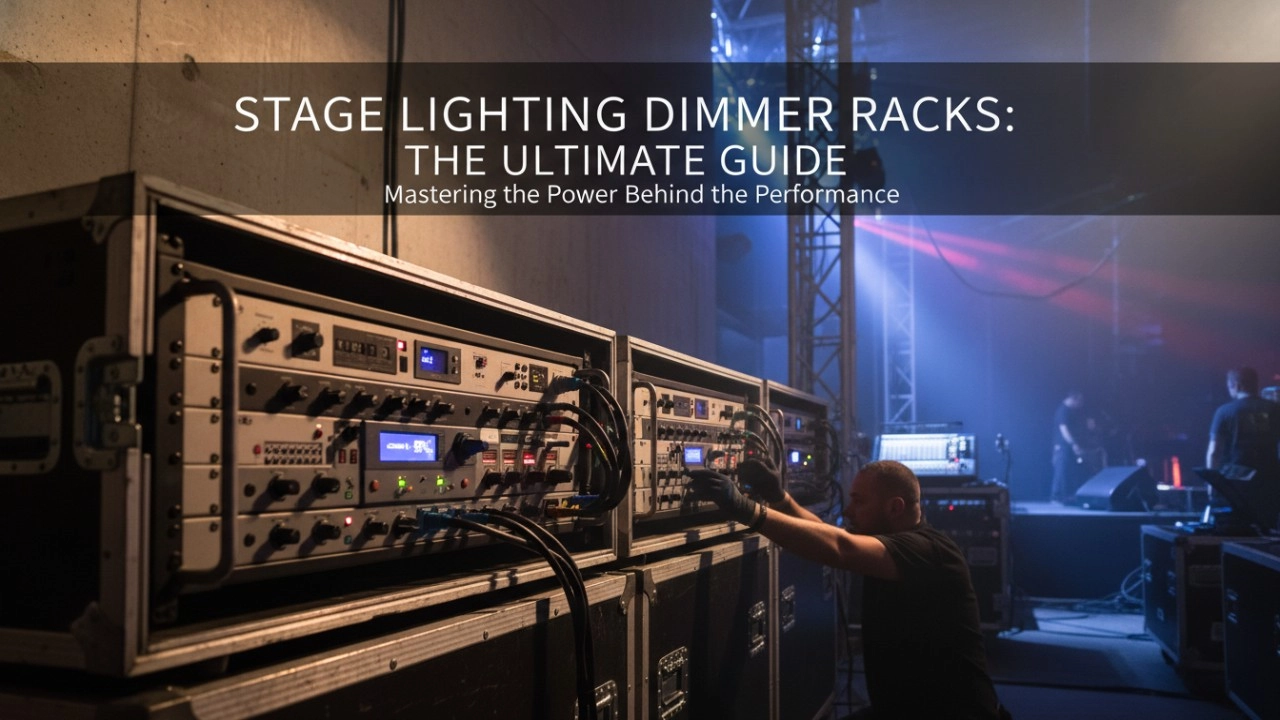
A comprehensive 2026 guide to selecting high-performance stage lighting dimmer racks. We review top hybrid systems, explore SCR vs sine wave technology, and analyze essential features like ThruPower for modern venues.
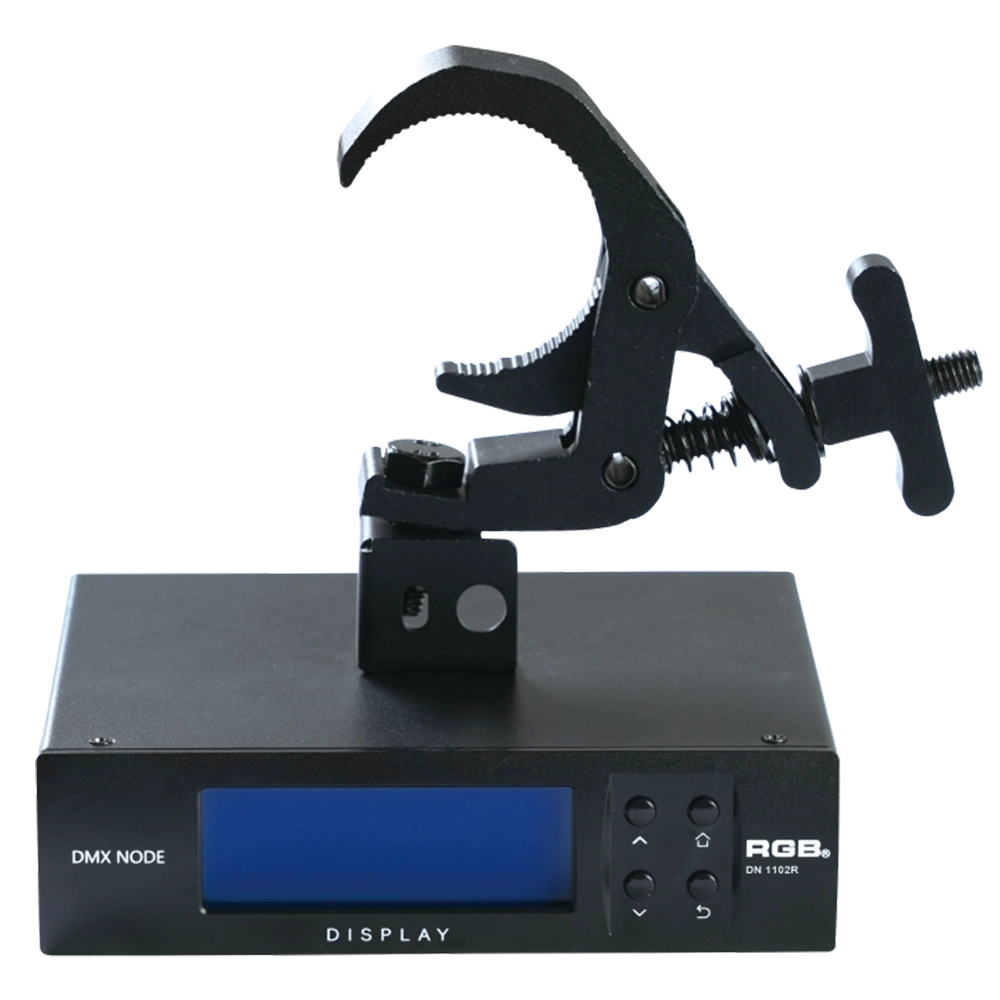
RDM Nodes
The DN series network decoder is a product of the lighting control system independently developed by RGB, featuring completely independent core technology and obtaining software copyrights. It seamlessly connects and decodes the sACN and Art-Net network protocols based on TCP/IP with the DMX-512 and RDM communication protocols. Supports a visual lighting control system, intuitively displaying the online and offline status of the DN series network decoders, and enabling remote monitoring, editing, and setting of corresponding parameters.
It is widely applied in theaters, concert halls, multi-functional halls, cultural and tourism performances, TV stations, gymnasiums, auditoriums, commercial art lighting, and other performance and cultural venues.
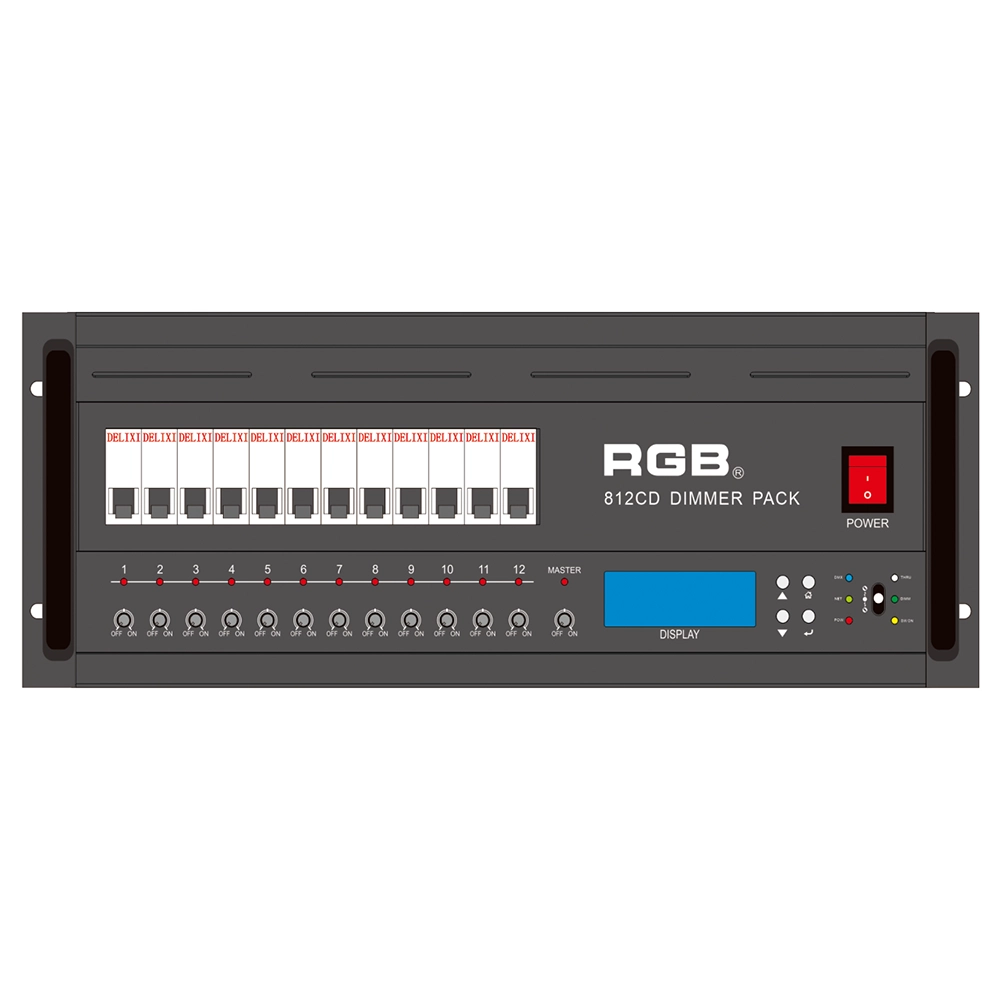
8 Series Intellight Dimmer/Relay Packs
RGB is the latest development and production of all digital, intelligent, and network dimming through the hybrid silicon box. It comes with six channels (806 silicon box), twelve channels (812 silicon box) with analog knob dimming, 49 DMX field recordings and replays (field backup function), and self-programming and recording field. RGB-8 silicon box with DMX512 digital signal input and RJ45 network input interface, with various types of dimming stations at home and abroad used. It is a powerful, stable performance and reliable work of a new generation of intelligent digital dimming through a hybrid silicon box.
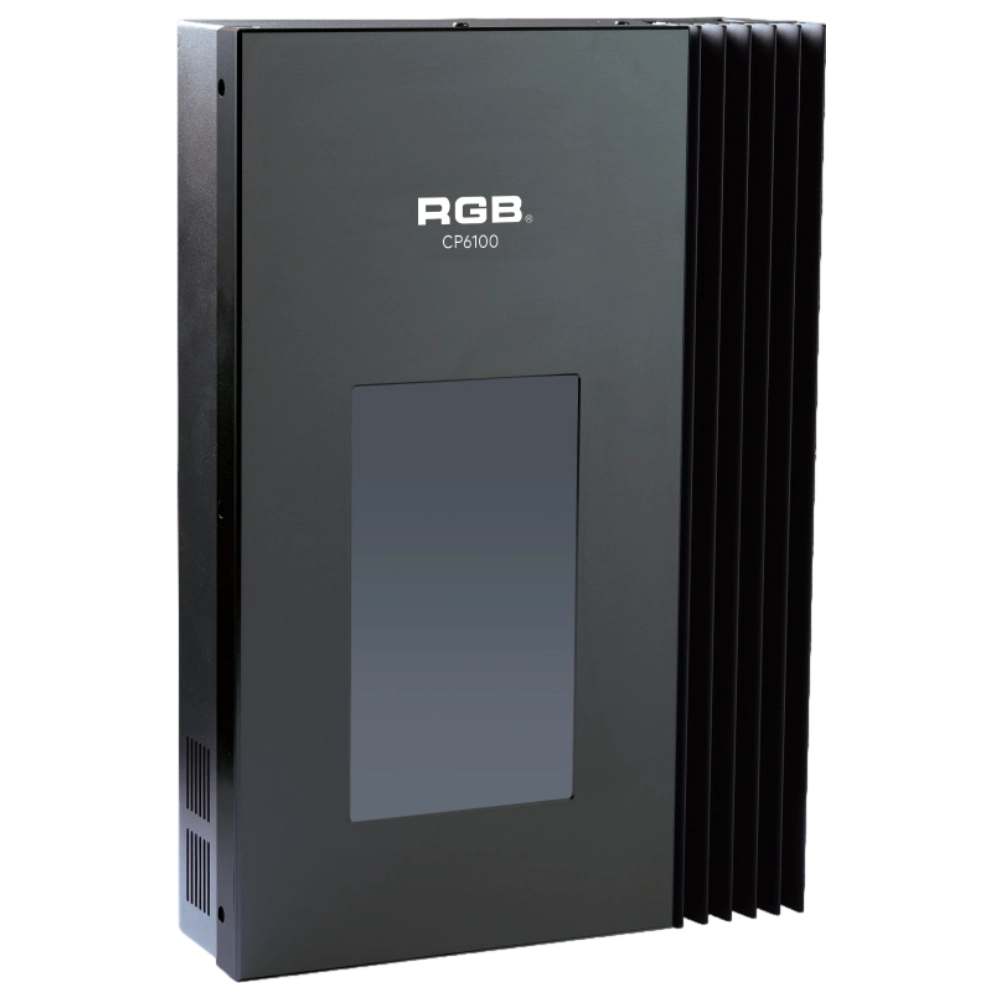
CP6100 Light Control System
The lighting control host is the main control device for theater stage lights, work lights, environmental lighting, commercial art lighting, sports venue lighting, and other places. By connecting the dedicated lighting control panels CP6104 and CP6108, it realizes the central control of the lighting system, supports a visual lighting control system, and intuitively displays the online and offline status of CP6100. Realize remote monitoring, editing, and setting of corresponding parameters.
It is widely applicable to theaters, cinemas, auditoriums, stadiums, museums, exhibition halls, cultural tourism performances, commercial art lighting, and other places.
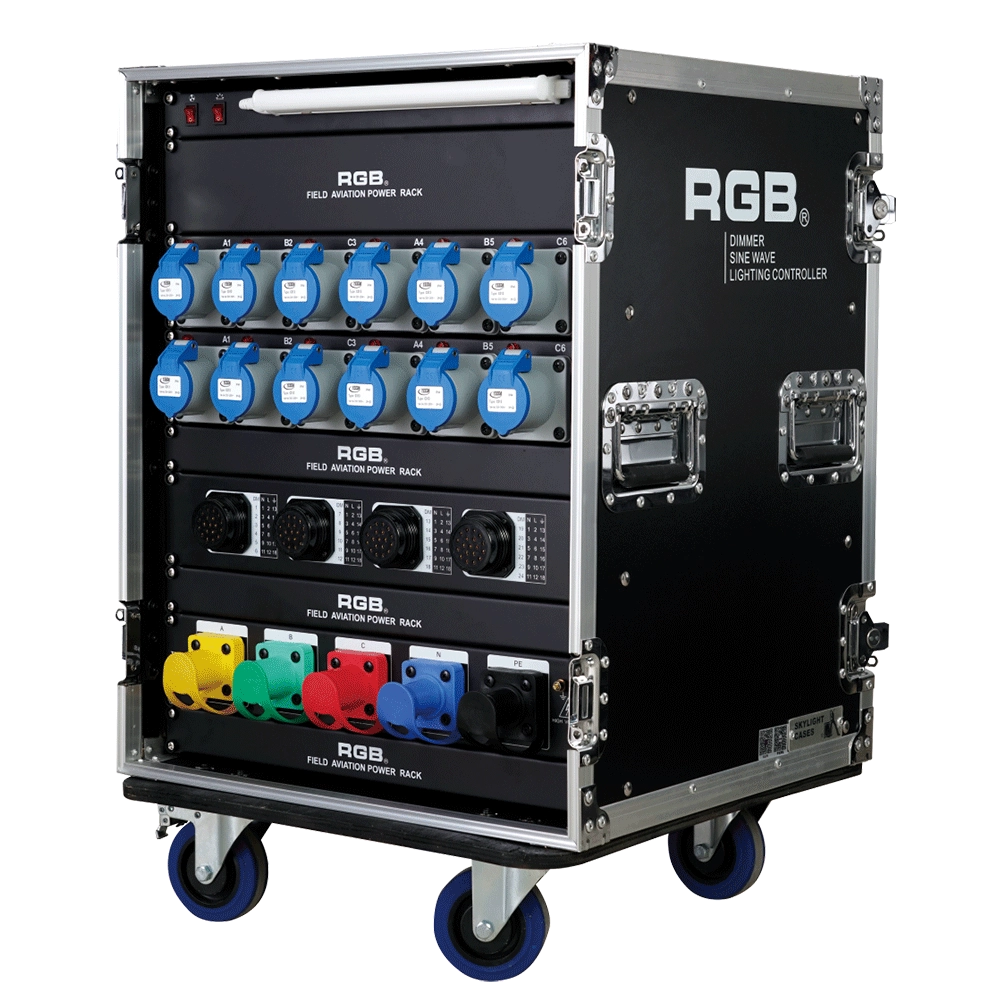
ZT2419+1216 Distribution Box
ZT2419+1216 features dual protection functions and is a power distribution product specifically designed for overcurrent and short circuits in electrical equipment. It is the best choice for mobile performance and is suitable for use in computer lamps, conventional lamps, and other equipment.
Expert Support
Interested in learning more or need expert guidance related to this article? Fill in your details, and our team will provide tailored support.
Intelligent Control. Brilliant Performance.
RGB specializes in stage lighting control systems, delivering intelligent, reliable, and high-performance solutions for theaters and performance spaces worldwide.
Contact
Email:
Tel:
+86 20 3928 0245
+86 20 3928 0247
Address:
No.3, Huashan Road, Shilou Town, Panyu, Guangzhou, China.
Whatsapp: +8615975520131