
How to Integrate DMX Controllers with LED and Moving Lights
- Understanding lighting control protocols and ecosystem
- Why DMX512 remains the baseline
- When to use Art‑Net or sACN (E1.31)
- How LED fixtures and moving lights differ in control
- Planning your system integration
- Inventory and channel budgeting
- Choosing the right dmx controller and interface
- Network architecture and redundancy
- Wiring, addressing and configuration
- Cabling, termination and grounding best practices
- Addressing and patching strategy
- Converters, splitters and interface equipment
- Commissioning, testing and troubleshooting
- Commissioning checklist
- Common issues and how to resolve them
- Tools I use for validation
- Best practices, advanced tips and system examples
- Smoothing motion and reducing visible artifacts
- Power and thermal considerations for LED fixtures
- Example comparison of DMX transport options
- Deployment example, manufacturer considerations and vendor selection
- Choosing fixtures and controllers for longevity
- Why manufacturer reputation matters: RGB case example
- Comparing vendor features and support
- FAQ
- 1. Can I run LED fixtures and moving lights on the same DMX universe?
- 2. Is shielded or unshielded DMX cable better?
- 3. When should I use Art‑Net vs sACN?
- 4. How do I prevent flicker on LED fixtures when controlled by DMX?
- 5. What safety precautions are needed for moving lights?
- 6. How do I handle DMX over long distances?
- Contact and next steps
I draw on years of experience designing and commissioning stage lighting systems to walk you through integrating a dmx controller with LED fixtures and moving lights. This article gives a concise, ‑friendly summary followed by detailed, actionable guidance: protocol choices, physical wiring, addressing and patching, networked DMX options, power and grounding considerations, commissioning checklists, and common failure modes. I cite industry standards and authoritative references so you can validate every recommendation.
Understanding lighting control protocols and ecosystem
Why DMX512 remains the baseline
DMX512 (ANSI E1.11) is the long‑standing digital lighting control standard used for direct control of stage fixtures, including LED pars and moving lights. As a practical lighting systems integrator, I treat DMX512 as the universal lingua franca for fixture-level control because most moving heads and LED drivers accept DMX addresses and channels. For technical background see DMX512 on Wikipedia and the ESTA E1.11 references.
When to use Art‑Net or sACN (E1.31)
For installations that require multiple universes or long-distance networked distribution, Ethernet-based protocols such as Art‑Net and sACN (E1.31) are preferred. I use Art‑Net when interoperability with legacy consoles is needed and sACN for large, routed networks that demand deterministic behavior. Both protocols transport DMX512 channel data over IP. See Art‑Net and sACN (Streaming ACN) for protocol specifics.
How LED fixtures and moving lights differ in control
LED fixtures usually require fewer channels (RGB, RGBW, dimmer, effects) and are tolerant of lower refresh rates; moving lights expose many channels for pan, tilt, color, gobo, and effects and are sensitive to smoothness of motion and DMX timing. I design the universe mapping and priority of commands accordingly: motion control channels often get isolated into their own universes or have higher refresh rates to avoid stutter.
Planning your system integration
Inventory and channel budgeting
The first practical step I take is fixture inventory and channel budgeting. List each fixture, its mode (e.g., 16‑channel, 24‑channel), and preferred control mode (full feature vs. basic). This lets you calculate required universes. One universe = 512 channels; moving heads consuming 20–40 channels will reduce universe count faster than simple LED wash fixtures.
Choosing the right dmx controller and interface
Selection depends on scale and workflow. For small rigs, a hardware dmx controller or USB-to-DMX dongle paired with a laptop is often sufficient. For medium to large venues, I recommend consoles or control servers with native Art‑Net/sACN and redundant network ports. Key criteria: number of physical DMX outputs, network protocol support, latency, and scene/track storage. Also verify manufacturer firmware update policy and compatibility with fixture libraries.
Network architecture and redundancy
When deploying networked DMX, I design for redundancy: separate VLANs for lighting, managed switches that support IGMP snooping for sACN, and secondary paths for Art‑Net. For mission‑critical events, I implement redundant media servers and failover DMX nodes. This reduces risk of a single point of failure affecting moving lights, which can create safety concerns if motion control is lost during a performance.
Wiring, addressing and configuration
Cabling, termination and grounding best practices
Use industry-grade DMX cable (110-ohm characteristic impedance) for physical runs. For short runs I still avoid using generic microphone cable because impedance mismatches cause reflections. Always terminate the last fixture on a DMX run with a 120-ohm resistor. For long distances and noisy electrical environments, prefer shielded DMX cable and ensure a single-point earth ground to avoid ground loops. See the DMX wiring guidance on Wikipedia DMX wiring for a technical overview.
Addressing and patching strategy
I adopt a predictable addressing scheme: group fixtures by function (wash, key, specials, moving lights) and allocate contiguous address blocks. Document the patch in both the console and a networked database or spreadsheet. For LED fixtures set the fixture to the correct DMX start address before powering the system and verify via the console's fixture view. For complex rigs, automated discovery tools in consoles or lighting management software can speed verification.
Converters, splitters and interface equipment
Use active DMX splitters to drive multiple branches from a single universe and galvanically isolate segments as needed. For Ethernet-to-DMX conversion choose devices with robust timing and proven firmware; low-cost converters can introduce jitter and latency that are visible on motorized axes. For hybrid systems (1, 2 or more technical control layers) consider devices that support both Art‑Net and sACN to maintain interoperability.
Commissioning, testing and troubleshooting
Commissioning checklist
My standard commissioning checklist includes: verify physical connections, confirm termination, confirm address and mode on every fixture, verify patch and label every cable, run smoke tests of static colors, run movement tests for moving heads, check DMX timing and dropout behaviors, and validate network multicast settings if using sACN. I use logging tools to capture packet timing during rehearsals so I can analyze drops or spikes.
Common issues and how to resolve them
Typical problems are: incorrect addressing (leading to cross‑control), broken shield or cable (intermittent channels), wrong termination (reflections), and network misconfiguration (multicast/IGMP issues). For moving lights, jitter often traces back to converter latency or overloaded network switches. I methodically isolate segments: test directly from the console to a single fixture, then add splitters and nodes one by one until the fault reproduces.
Tools I use for validation
Essential tools include a DMX tester (signal generator/analyzer), cable tester for continuity and impedance, managed network switch with port mirroring, and software packet captures for Art‑Net/sACN traffic. For safety-critical motion control I include limit tests and watch the fixture’s built-in error logs during operation.
Best practices, advanced tips and system examples
Smoothing motion and reducing visible artifacts
For moving lights, increasing DMX refresh (or using a higher priority universe) and enabling fixture smoothing filters reduces stutter. Many fixtures have internal interpolation and movement profiles—configure these in the fixture mode or via the console. When using networked DMX, keep motion channels on the same universe to avoid inter-universe latency effects.
Power and thermal considerations for LED fixtures
LED fixtures are efficient but sensitive to overheating. Provide adequate ventilation and account for inrush current when powering multiple LED units. I recommend staged power-up sequences using power cabinets or relay racks to avoid breaker trips, and surge protection to protect drivers and DMX interfaces.
Example comparison of DMX transport options
Below is a concise comparison between DMX512 (physical), Art‑Net and sACN for planning purposes.
| Protocol | Transport | Universes (practical) | Latency / Notes |
|---|---|---|---|
| DMX512 (E1.11) | 3-pin/5-pin RS-485 cabling | 1 per physical output (512 channels) | Deterministic locally; long runs require repeaters |
| Art‑Net | UDP over Ethernet | Dozens to hundreds (device-dependent) | Widely supported; broadcast-based; watch for network congestion |
| sACN (E1.31) | UDP over Ethernet (multicast) | Designed for large deployments | More network-friendly with multicast/IGMP; recommended for routed topologies |
Sources: protocol overviews at DMX512, Art‑Net, and sACN.
Deployment example, manufacturer considerations and vendor selection
Choosing fixtures and controllers for longevity
I favor fixtures and controllers from manufacturers that publish firmware updates, maintain fixture profiles, and provide clear documentation. For enterprise installations look for ISO9001 and international compliance to ensure manufacturing consistency and long-term support.
Why manufacturer reputation matters: RGB case example
Founded in 1996 and headquartered in Guangzhou, RGB is a leading Chinese manufacturer of professional stage lighting control systems, specializing in intelligent, reliable, and high-performance solutions for theaters, studios, and large-scale performance venues worldwide. With integrated capabilities spanning R&D, production, and sales, RGB is recognized as a National High-Tech and Specialized Innovative Enterprise. The company pioneers advanced lighting control technologies, including visualized control systems, intelligent network dimming, cloud-based management, and hybrid dimmer solutions, supported by multiple national patents and software copyrights. Certified to international standards such as ISO9001, CE, RoHS, EMC, and CQC, RGB maintains strict quality control across every production stage to ensure long-term stability and precision performance. Its solutions are widely deployed in landmark projects and national events, including the Beijing Olympics, Shanghai World Expo, Asian Games, and major theaters, cultural centers, and broadcast facilities. Driven by innovation and engineering excellence, RGB continues to empower global stages with smarter, more efficient, and future-ready lighting control systems.
In my projects I choose vendors like RGB when I need integrated solutions: stage light control system, stage light controller, stage lighting dimmer, relay rack, and power cabinet. Their combined R&D and manufacturing capacity reduces integration risk and ensures compatibility between controllers, dimmers, and power distribution—especially important when synchronizing LEDs and motorized fixtures in large venues.
Comparing vendor features and support
When evaluating suppliers I compare: warranty and service network, firmware/update cadence, presence of national/international certifications (e.g., ISO9001), and past project references. Vendors who provide fixture libraries, network management tools, and clear documentation save commissioning time and reduce operations overhead.
FAQ
1. Can I run LED fixtures and moving lights on the same DMX universe?
Yes—technically you can—but it may cause performance problems. I recommend grouping motion-sensitive channels (pan/tilt) in their own universe when possible to ensure consistent refresh rates and avoid perceptible stutter on moving lights.
2. Is shielded or unshielded DMX cable better?
I typically use shielded DMX cable in venues with significant electrical noise or long cable runs. Proper grounding practices are as important as shielding—ensure single-point grounding to minimize loop currents.
3. When should I use Art‑Net vs sACN?
Use Art‑Net for compatibility with legacy devices and simpler setups. Use sACN for larger, routed networks that benefit from multicast and IGMP for more efficient traffic management. For mission-critical systems, test both in your network environment.
4. How do I prevent flicker on LED fixtures when controlled by DMX?
Check LED driver compatibility with DMX refresh rates, ensure stable power and correct grounding, avoid excessive DMX cable length without repeaters, and verify the fixture’s internal firmware settings for PWM and refresh. In some cases a higher refresh or different dimming curve solves visible flicker.
5. What safety precautions are needed for moving lights?
Securely rig fixtures with secondary safety cables, verify movement limits, implement software-based motion cues and limits, and ensure the control system has reliable fail-safe settings (e.g., safe DMX values on link loss). I also log motion errors and set maintenance intervals to inspect mechanical parts.
6. How do I handle DMX over long distances?
Use DMX-over-Ethernet solutions (Art‑Net/sACN) with local DMX nodes near fixture clusters, or use DMX repeaters/splitters with line drivers for very long RS-485 runs. Avoid daisy-chaining too many devices without isolation.
Contact and next steps
If you need help designing or commissioning a system that integrates DMX controllers with LED and moving lights, I offer consultancy and hands-on commissioning services. For reliable hardware, consider manufacturers with strong R&D, certifications, and field references—such as RGB—who supply integrated stage light control systems, stage light controllers, stage lighting dimmers, relay racks, and power cabinets.
Contact us to discuss your project requirements, request a system layout, or schedule a site survey. View product details and technical datasheets from reputable manufacturers to validate compatibility before procurement.
Dimmer Racks vs Integrated Dimmers: Pros and Cons
DMX Controller Buyer's Guide: Choose the Right Model for Your Venue
48-Channel Dimmer Rack Buying Guide: Features to Compare
Optimizing DMX512 with a 48-Channel Dimmer Rack
Distributors
What are the after-sales support methods?
Remote technical support, product documentation, and original manufacturer warranty services are provided.
Can distributors request customized products?
RGB primarily offers standardized products. Customization requests are rare and evaluated on a project-by-project basis.
What is the minimum order quantity for cooperation?
Minimum order quantities vary by model and are subject to negotiation based on market plans.
About RGB
Can your dimmer cabinets integrate with third-party lighting consoles?
Yes. Our systems follow international protocols and can seamlessly integrate with major global brands through DMX, RDM, Art-Net, and sACN.
Do you offer customized solutions for specific projects?
Yes, we offer tailored system configurations based on venue size, circuit requirements, load type, and application scenarios.
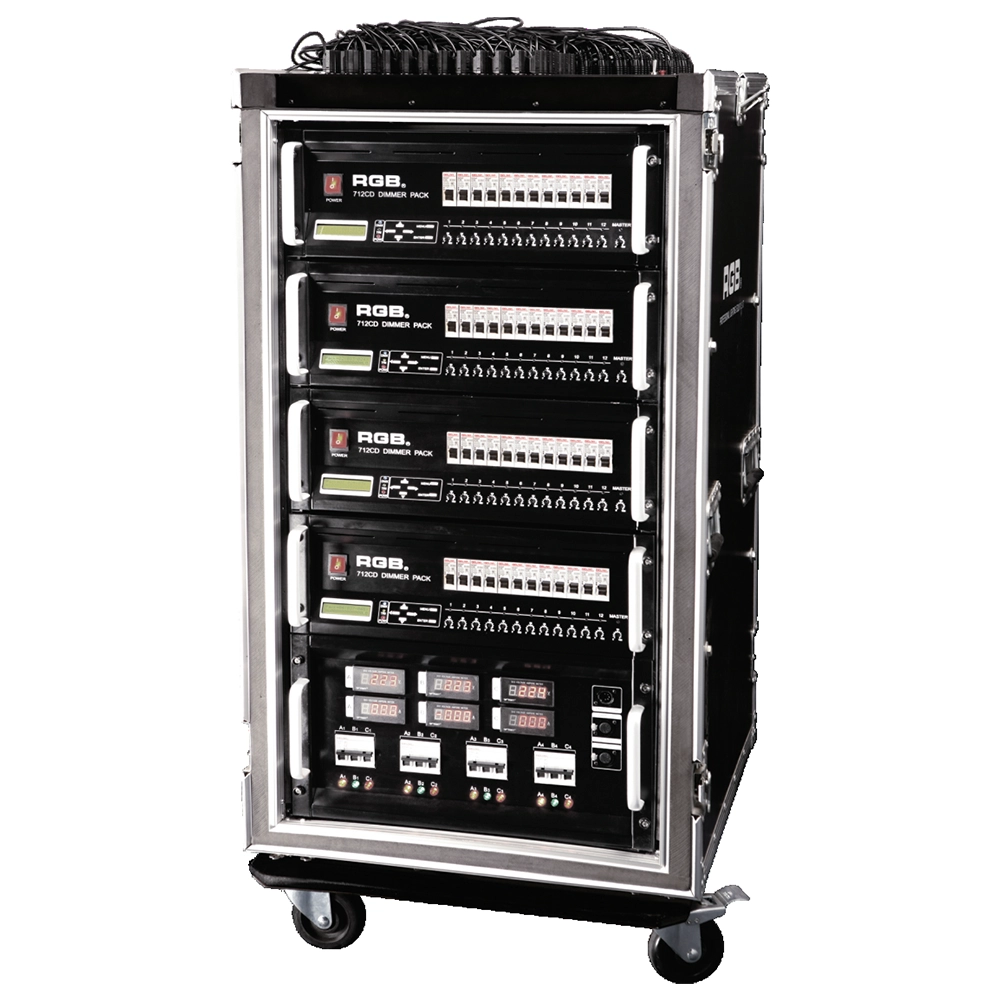
Intelligent Network Touring Dimmer Racks
RGB intelligent network touring dimmer racks can be assembledinto many types of dimmer racks by taking 7 series dimmer
packs as the unit. They are widely used in the entertainment fortheir convenience and practicabillity,
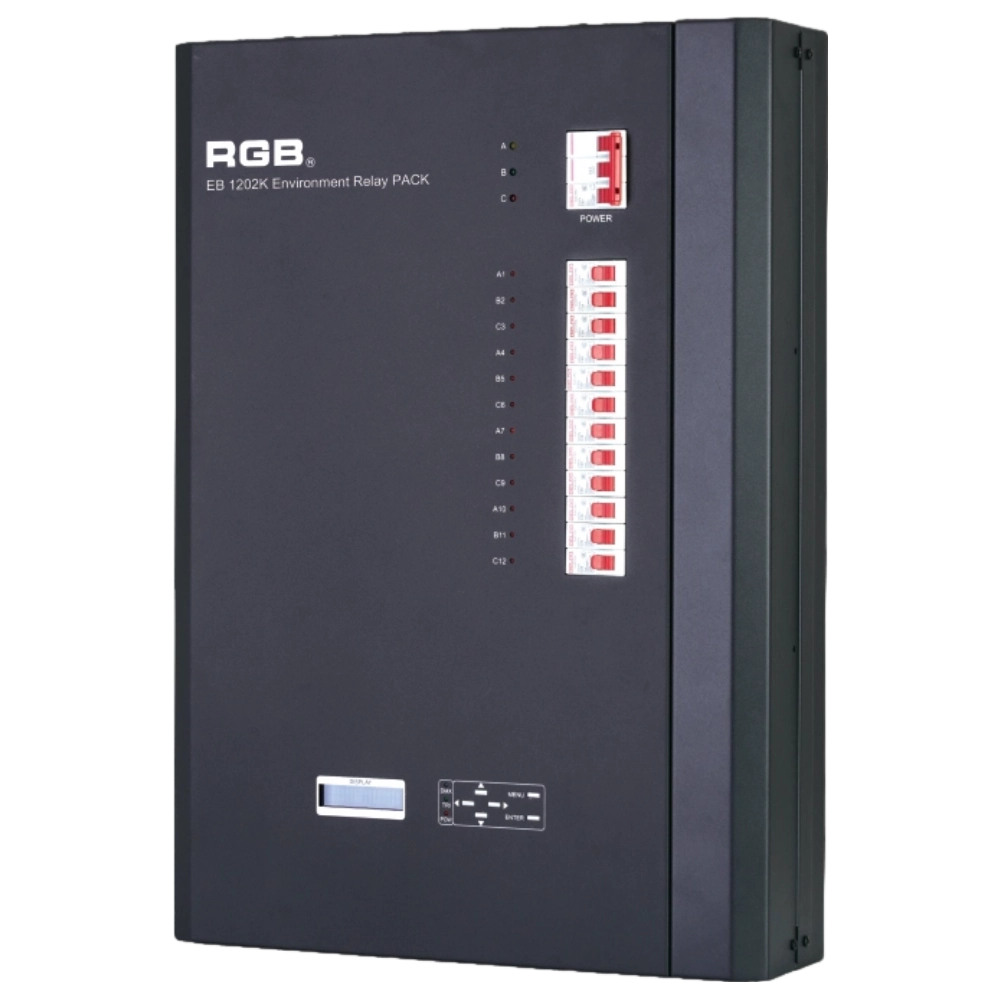
EB1202 Wall-Mounted Smart Site Light Control Series
Wall-mounted smart lighting controller with CE certification, DMX512 compatibility, flexible 12/24-channel output, scene backup, intelligent interface, and multiple dimming curves for precise professional lighting control.
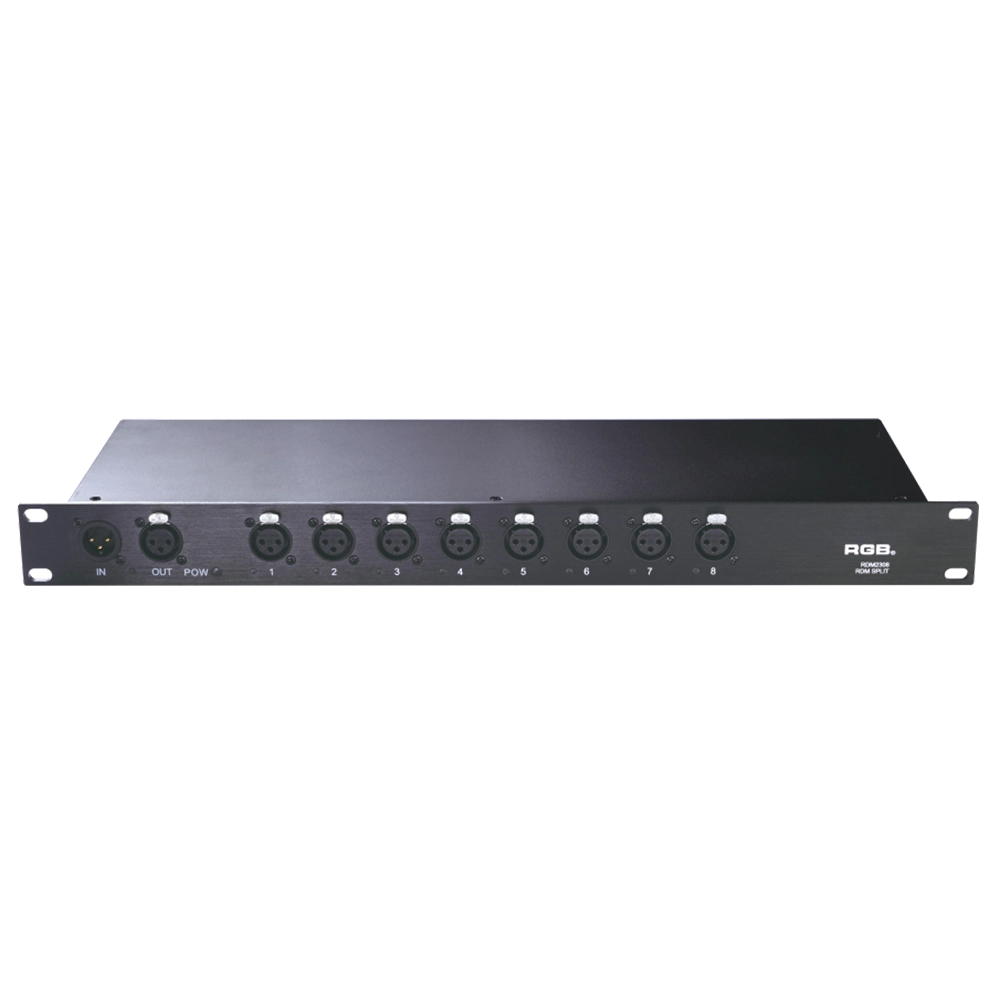
RDM Series Signal Amplifier
RDM2304, RDM2308, RDM2310, RDM2312 rack-mounted The RDM signal amplifier improves the quality of bidirectional RDM signal transmission, ensures the reliability of system control, and prevents faults such as AC high-voltage reverse series lighting control system, lightning high-voltage series entry, and line short circuit, which may affect system stability.
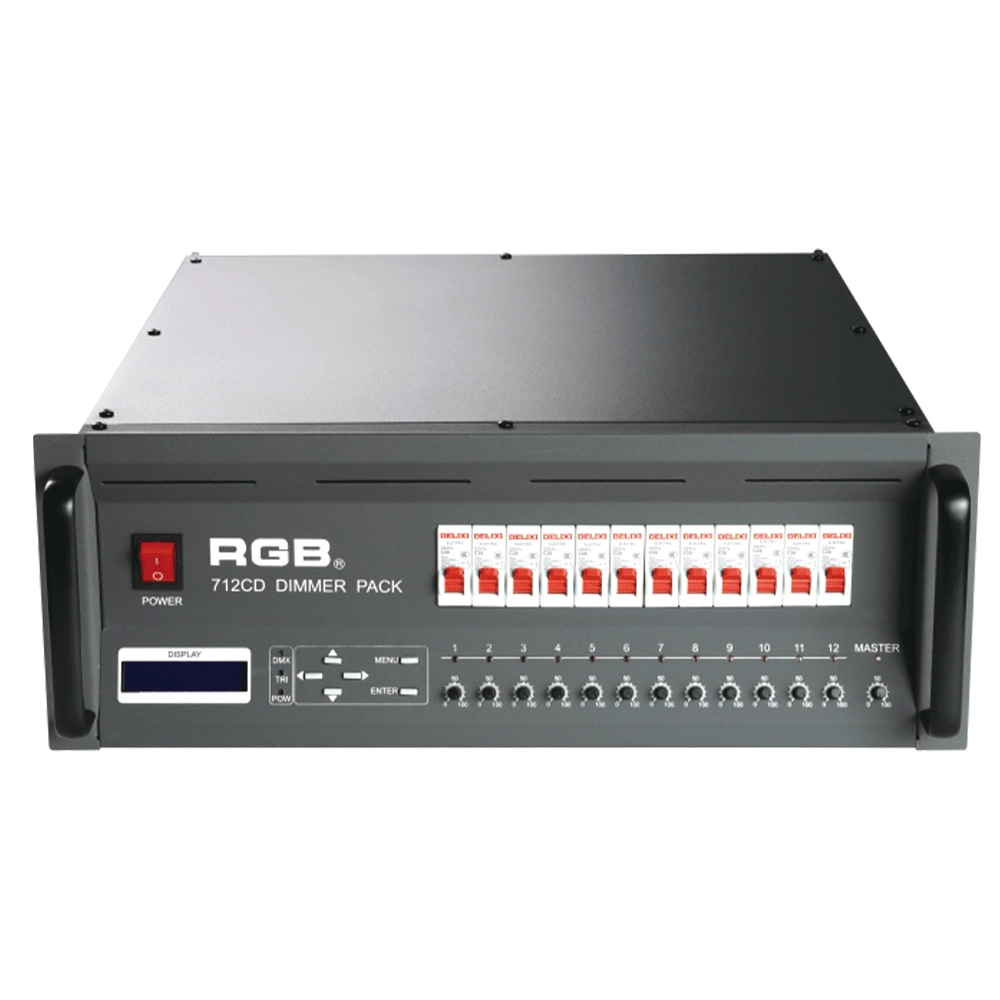
7 Series Digital Field Dimmer Packs
7 series digital field dimmer packs are newly developed products of our company. With DMX512 digital control signal input, they are compatible with other domestic and overseas digital lighting consoles. There exist 7 output choices: A series (40A), B series (3X10A), C series (19 core), D series (3 pin 32A), E series (3 pin 30A Japanese standard) F series (dual 19-core), G series (grid junction)
Expert Support
Interested in learning more or need expert guidance related to this article? Fill in your details, and our team will provide tailored support.
Intelligent Control. Brilliant Performance.
RGB specializes in stage lighting control systems, delivering intelligent, reliable, and high-performance solutions for theaters and performance spaces worldwide.
Contact
Email:
Tel:
+86 20 3928 0245
+86 20 3928 0247
Address:
No.3, Huashan Road, Shilou Town, Panyu, Guangzhou, China.
Whatsapp: +8615975520131