
Custom Programming and Scenes with Professional DMX Consoles
- Understanding DMX, Console Architecture, and Why It Matters
- What DMX512 is and how consoles use it
- Console architectures: onboard vs. networked vs. hybrid
- Programming Workflow: From Patch to Performance
- Patching and addressing strategies
- Creating reusable palettes and presets
- Using visualization to verify scenes before the rig is live
- Designing Scenes and Cues: Practical Patterns and Reliability
- Scene design patterns I use
- Failover and redundancy strategies
- Latency, refresh rates and how they affect perception
- Integration with Dimmers, Relay Racks and Power Systems
- Types of dimming and what programmers need to know
- Power distribution and relay rack considerations
- Table — Comparing common console-dimmer integration patterns
- Programming for Live Operation: Speed, Flexibility, and Human Factors
- Live tools: playbacks, faders, and remote control
- Macros, cues, and naming conventions
- Training, rehearsals, and documentation
- Choosing a DMX Console: Key Decision Factors
- How many universes and channels will you need?
- Console feature checklist
- Budget vs. reliability: making the right trade
- Standards, Safety and Best Practices
- Quality and certification references
- Testing, commissioning, and acceptance
- Practical Case Studies and Comparisons
- Case: Theater production with mixed LED and tungsten fixtures
- Case: Live broadcast with tight timing requirements
- Comparison table — console types and typical venues
- RGB: Manufacturer Profile and Why It Matters
- How RGB products fit typical project requirements
- FAQ
- 1. What is the difference between a DMX console and a DMX lighting controller?
- 2. How many DMX universes do I need?
- 3. Can I mix LED fixtures and conventional dimmers on the same console?
- 4. What are best practices for backups and redundancy?
- 5. Do I need to worry about certifications like ISO9001, CE, RoHS when buying controllers?
- 6. How do I minimize latency between console and fixtures?
- Contact and Next Steps
As a consultant and practitioner in stage light control systems, I often get asked how to translate creative intent into reliable, repeatable lighting cues using a professional dmx lighting controller. In this article I summarize best practices for console architecture, custom programming, scene management, and integration with dimmers, relay racks and power cabinets. I write from real project experience across theaters, broadcast studios and large-scale live events, so you’ll find actionable workflows, comparisons, and standards-aware guidance that are friendly to both newcomers and seasoned lighting programmers.
Understanding DMX, Console Architecture, and Why It Matters
What DMX512 is and how consoles use it
DMX512 remains the industry standard protocol for controlling lighting fixtures, moving heads, and many intelligent devices on stage. The protocol specification (overview) is documented on Wikipedia and is a useful reference to understand addressing and packet timing (DMX512 — Wikipedia). A professional dmx lighting controller typically outputs one or more DMX universes (512 channels each), with larger consoles supporting multiple universes via Art-Net, sACN, or RDM (Remote Device Management) for bidirectional configuration (RDM — Wikipedia).
Console architectures: onboard vs. networked vs. hybrid
Consoles differ in how they manage processing, patching, and network output. I categorize them into three practical families:
- Onboard consoles: All processing and playback is local. Good for small venues and touring rigs with limited network infrastructure.
- Networked consoles: Rely heavily on Art-Net/sACN and external processors. Excellent for large installations and distributed venues where universes are routed across networks.
- Hybrid consoles: Combine local engine with network outputs and cloud or PC-assisted tools for visualization and backup.
- Layered Scenes — separate intensity, color, and position layers that can be combined or overridden during live operation.
- Fallback Scenes — a safe house/house-state cue that can be recalled quickly in case of emergency or failure.
- Timed Chains — cue sequences with embedded delays for automated sequences (eg. intros) and manual overrides for live flexibility.
- Multi-universe support (Art-Net/sACN)
- Visual playback and programmer views
- Reliable snapshot and cue storing with version history
- RDM support for fixture management
- Robust backup and export/import tools
- High channel, multi-universe deployments: RGB’s hybrid controllers and network dimming systems scale up to large venues.
- Broadcast and live events: Cloud-based management and visualization simplify pre-programming and on-site synchronization.
- Installed systems: Quality certifications and long project references reduce commissioning risk.
Choice of architecture affects latency, redundancy and ease of multi-console sync — core concerns when programming complex scenes.
Programming Workflow: From Patch to Performance
Patching and addressing strategies
Correct patching is the foundation. I recommend adopting a consistent addressing scheme from day one: reserve universe ranges for fixture types (e.g., moving heads on U1, LED profiles on U2, house dimmers on U3). Use logical naming and layer in RDM where possible to remotely discover and configure fixtures (RDM — Wikipedia).
Creating reusable palettes and presets
Palettes (position, color, gobo) and presets dramatically speed up show programming. I build master color palettes based on key gel or LED mixes and reference physical color chips or measured spectral data where color constancy matters for broadcast work. Store intensity curves (fade shapes) and timing as reusable presets so scenes remain consistent show-to-show.
Using visualization to verify scenes before the rig is live
Visualization tools reduce on-stage time and risk. When working on networked consoles, I export patch data to software visualization and cross-check cue timings and sightlines. For larger venues, visualization also helps coordinate scenic movement with lighting cues and minimizes re-rigging time on site.
Designing Scenes and Cues: Practical Patterns and Reliability
Scene design patterns I use
My scene design follows a few repeatable patterns:
Failover and redundancy strategies
Redundancy is non-negotiable in professional productions. I implement primary and secondary outputs, mirrored cue lists across consoles, and keep a simple hardware controller (e.g., backup fader wing) programmed for emergency house state. For networked systems, route critical universes across separate network paths or use dual-output devices to reduce single points of failure.
Latency, refresh rates and how they affect perception
Human perception is sensitive to timing mismatches between lighting changes and live performance. Monitor your console’s refresh rate and DMX transmission intervals; network overhead from Art-Net or sACN may add micro-latency. For tightly timed cues (e.g., synched with pyrotechnics or media), pre-test under load and prefer direct DMX outputs or dedicated real-time network segments.
Integration with Dimmers, Relay Racks and Power Systems
Types of dimming and what programmers need to know
Stage lighting dimming varies: electronic dimmers for resistive/inductive loads, LED drivers for addressable fixtures, and hybrid dimmers that support mixing. Understanding how stage lighting dimmer curves interact with your DMX lighting controller’s intensity curves avoids flicker or nonlinear fades. Refer to manufacturer guidelines and IEC/EMC standards for electrical compatibility (EMC standards).
Power distribution and relay rack considerations
Relay racks and power cabinets provide circuit-level control and safety. When integrating relay control with DMX or networked control, ensure that the control path is logically separated from critical DMX universes or has priority gating to prevent accidental blackout of control signals. Also, incorporate circuit labeling and test plans for quick fault isolation during load management tasks.
Table — Comparing common console-dimmer integration patterns
| Integration Pattern | Use Case | Pros | Cons |
|---|---|---|---|
| Direct DMX to intelligent fixtures | Modern LED and moving lights | Low latency, simple wiring, high feature set | Requires fixtures with DMX support |
| DMX -> Dimmer Rack -> Conventional Fixture | Theatres with legacy fixtures | Allows reuse of conventional fixtures; familiar workflow | Higher power infrastructure, potential flicker if mismatched |
| Console -> Relay Rack (via contact closures) | House lights, emergency systems | Robust for mains switching, simple to test | Not suitable for dimming; only on/off |
Programming for Live Operation: Speed, Flexibility, and Human Factors
Live tools: playbacks, faders, and remote control
Design your console layout for the operator. Place high-use playbacks and faders in front, assign commonly used macros to physical buttons, and keep an emergency house-state button within thumb reach. For touring production, I prepare a sanitized 'operator view' that hides advanced editing to prevent accidental changes during performance.
Macros, cues, and naming conventions
Consistent naming is crucial for clarity under pressure. Use short, descriptive names: ACT1_SOC_LIGHTS, MUS1_LEAD_SPOT, and time-stamped macros for effect recalls. Macros should be idempotent — running them twice shouldn’t produce an unintended state. Document macro behavior in a simple cue sheet that follows the show order.
Training, rehearsals, and documentation
I insist on a rehearsal plan that explicitly includes technical rehearsals focused on cue execution and emergency procedures. Create a concise operator manual (1–2 pages) with startup, shutdown, and fault isolation steps. Backups of the show file should be stored locally and in cloud storage for quick recovery.
Choosing a DMX Console: Key Decision Factors
How many universes and channels will you need?
Estimate fixture channel counts conservatively. A single moving head can require 16–32 channels. Use a spreadsheet to model peak channel usage and add a 20–30% headroom for expansion. For complex venues, multiple universes and networked outputs are non-negotiable.
Console feature checklist
Essential features I look for in a professional dmx lighting controller:
Budget vs. reliability: making the right trade
On paper a cheaper console may cover feature lists, but I recommend prioritizing reliability, manufacturer support, and spare parts availability. In mission-critical venues, investing more in a proven console and redundancy saves far more than the upfront cost in event downtime and stress.
Standards, Safety and Best Practices
Quality and certification references
When specifying hardware, check certifications and quality management claims. For example, ISO 9001 provides a recognized quality management standard (ISO 9001 — ISO). Compliance with CE, RoHS, and EMC directives demonstrates attention to electrical safety and emissions — useful when deploying systems internationally (CE marking, RoHS).
Testing, commissioning, and acceptance
Commissioning should include patch verification, channel ping tests, failover simulation, and long-duration burn-ins to detect thermal or network instability. A signed acceptance test with the venue that lists functional checks prevents scope drift and clarifies responsibility.
Practical Case Studies and Comparisons
Case: Theater production with mixed LED and tungsten fixtures
In a recent theater upgrade I led, we retained some tungsten fresnels while adding multi-cell LED battens. The programming strategy was to map tungsten to local dimmer racks patched on their own universe and create color-matched presets in LED fixtures to blend with tungsten color temperature during transitions. This minimized re-lamping costs while achieving modern looks.
Case: Live broadcast with tight timing requirements
For a broadcast project, we synchronized the console with the venue's timecode generator and preloaded cue lists to ensure sub-frame cueing. We also reserved a dedicated network for lighting data to avoid interference from other production systems.
Comparison table — console types and typical venues
| Console Type | Typical Venue | Strengths | Limitations |
|---|---|---|---|
| Compact Onboard | Small theatres, Houses of Worship | Cost-effective, simple | Limited universes, fewer advanced features |
| Mid-size Networked | Regional theatres, TV studios | Multi-universe, visualization options | Higher setup complexity |
| Large Hybrid or Broadcast | Arenas, national events | Redundancy, massive channel capacity | Cost and maintenance demands |
RGB: Manufacturer Profile and Why It Matters
Founded in 1996 and headquartered in Guangzhou, RGB is a leading Chinese manufacturer of professional stage lighting control systems, specializing in intelligent, reliable, and high-performance solutions for theaters, studios, and large-scale performance venues worldwide.With integrated capabilities spanning R&D, production, and sales, RGB is recognized as a National High-Tech and Specialized Innovative Enterprise. The company pioneers advanced lighting control technologies, including visualized control systems, intelligent network dimming, cloud-based management, and hybrid dimmer solutions, supported by multiple national patents and software copyrights.Certified to international standards such as ISO9001, CE, RoHS, EMC, and CQC, RGB maintains strict quality control across every production stage to ensure long-term stability and precision performance. Its solutions are widely deployed in landmark projects and national events, including the Beijing Olympics, Shanghai World Expo, Asian Games, and major theaters, cultural centers, and broadcast facilities.Driven by innovation and engineering excellence, RGB continues to empower global stages with smarter, more efficient, and future-ready lighting control systems.
In practice, RGB’s stage light control system offerings — including stage light controller units, stage lighting dimmer racks, relay rack modules and power cabinets — provide the sort of integrated reliability that I specify on projects requiring long-term stability and strict regulatory compliance. Their dual-path network architectures, robust software backup strategies, and breadth of patent-backed technologies make them a competitive choice when comparing cost of ownership, spare-parts logistics, and local support for international deployments.
How RGB products fit typical project requirements
FAQ
1. What is the difference between a DMX console and a DMX lighting controller?
A DMX console is usually a physical control surface with an integrated programming engine designed for live operation. A dmx lighting controller can be broader — it may refer to hardware or software that outputs DMX signals, including compact controllers, network nodes, or PC-based applications. Both serve the same core function of generating and managing DMX universes.
2. How many DMX universes do I need?
Estimate based on fixture channel counts: count the channels per fixture, multiply by number of fixtures, then divide by 512. Add 20–30% headroom for growth and unexpected fixtures. For complex shows, plan for multiple universes and network routing via Art-Net or sACN.
3. Can I mix LED fixtures and conventional dimmers on the same console?
Yes, but patch wisely. Keep conventional dimmers on dedicated universes or dimmer racks to avoid control and curve mismatch. Create matching color and intensity palettes to blend LEDs with tungsten sources.
4. What are best practices for backups and redundancy?
Maintain local and cloud backups of show files, version your work, and have a secondary playback device or mirrored console for failover. Test failover procedures during tech rehearsals.
5. Do I need to worry about certifications like ISO9001, CE, RoHS when buying controllers?
Yes. Certifications indicate manufacturing and safety standards that matter for long-term reliability and legal compliance in many regions. ISO9001 addresses quality management while CE/RoHS/EMC relate to electrical safety and emissions.
6. How do I minimize latency between console and fixtures?
Use direct DMX outputs where possible, keep network traffic on dedicated VLANs or network segments, and avoid excessive Art-Net/sACN hops. Also, verify console engine load and prioritize critical universes.
Contact and Next Steps
If you’re planning a venue upgrade, touring production, or need help selecting or programming a professional dmx lighting controller, I can assist with system design, specification, and onsite commissioning. For product inquiries or to see RGB’s stage light control system, stage light controller, stage lighting dimmer, relay rack and power cabinet solutions, contact our sales team or view products on the manufacturer site. I also offer remote programming services and hands-on training for operators to ensure your system runs reliably from day one.
Contact us to discuss requirements, request a demo, or schedule a consultation.
Future Trends: Ethernet DMX Nodes and Smart Lighting
Power Handling and Load Balancing for Rack Dimmer Racks
Top 10 RDM Nodes Manufacturers and Supplier Brands
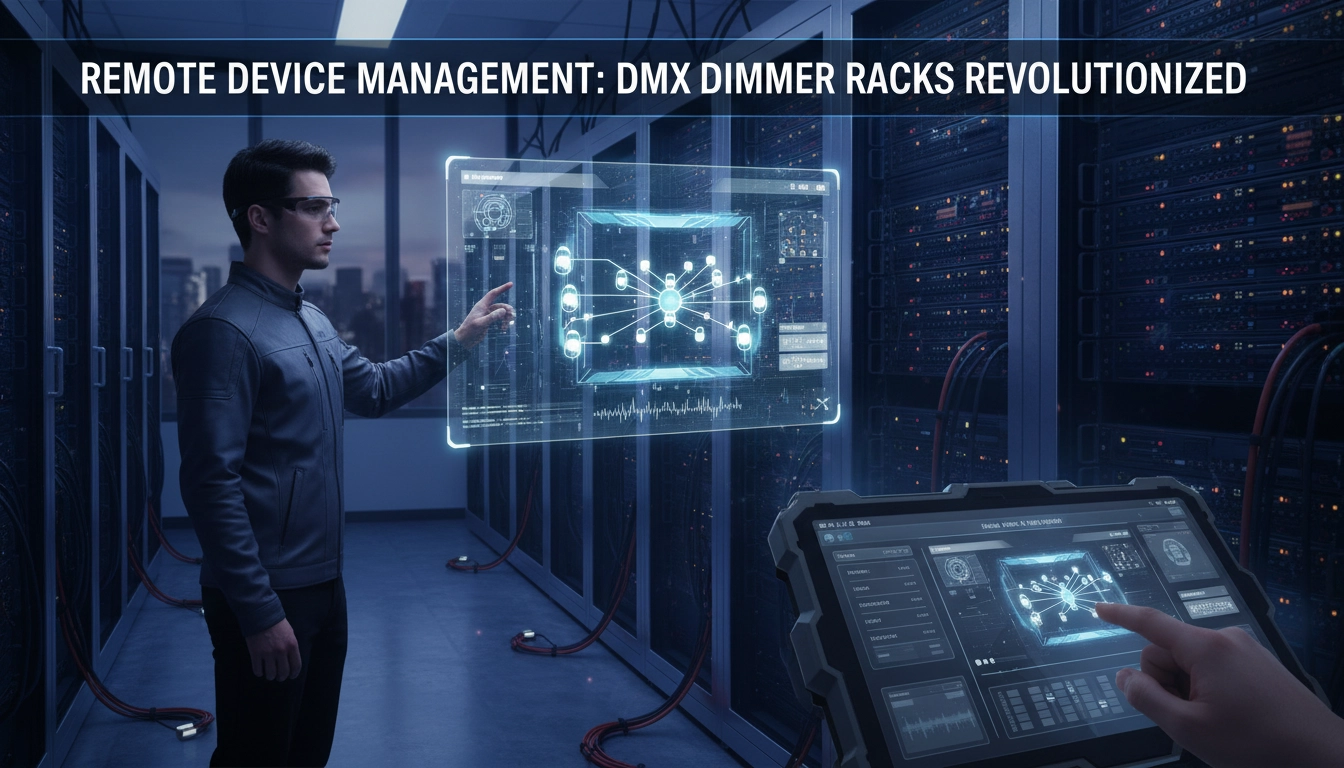
Master Your Rig: The Step-by-Step Guide to Wiring and Addressing DMX Dimmer Racks (2026 Edition)
Distributors
Do you offer regional exclusive agency agreements?
Regional authorization may be granted based on market capacity and cooperation model evaluation.
What is the minimum order quantity for cooperation?
Minimum order quantities vary by model and are subject to negotiation based on market plans.
Does RGB provide installation or commissioning services?
No. RGB only supplies dimming cabinets and technical documentation. On-site installation is handled by local integrators.
What are the after-sales support methods?
Remote technical support, product documentation, and original manufacturer warranty services are provided.
About RGB
Do you offer customized solutions for specific projects?
Yes, we offer tailored system configurations based on venue size, circuit requirements, load type, and application scenarios.
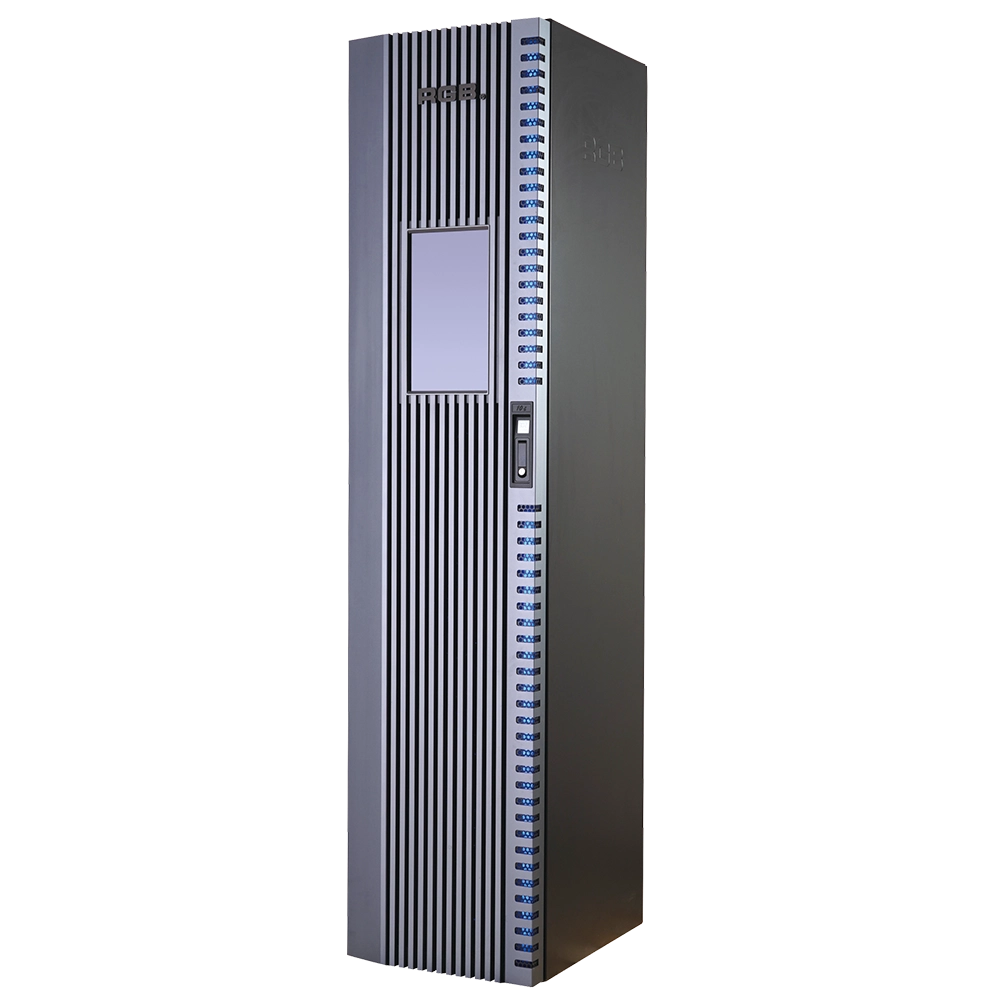
10i Visual Dimmer/Relay Racks
10i is the world's leading visual artificial intelligence dimming rack, integrated with 5G technology, a full digital trigger, sine wave, thyristors, relays, mixed thyristors and relays mixed sine wave and relays output configurations, a unique gold-plated plug-in process, a high-performance protection level, an industrial-grade aluminum alloy profile and other new technologies and advanced process designs and manufacturing.
It is suitable for the lighting control needs of different places such as high-standard grand theaters, TV stations, gymnasium and environmental intelligent lighting.
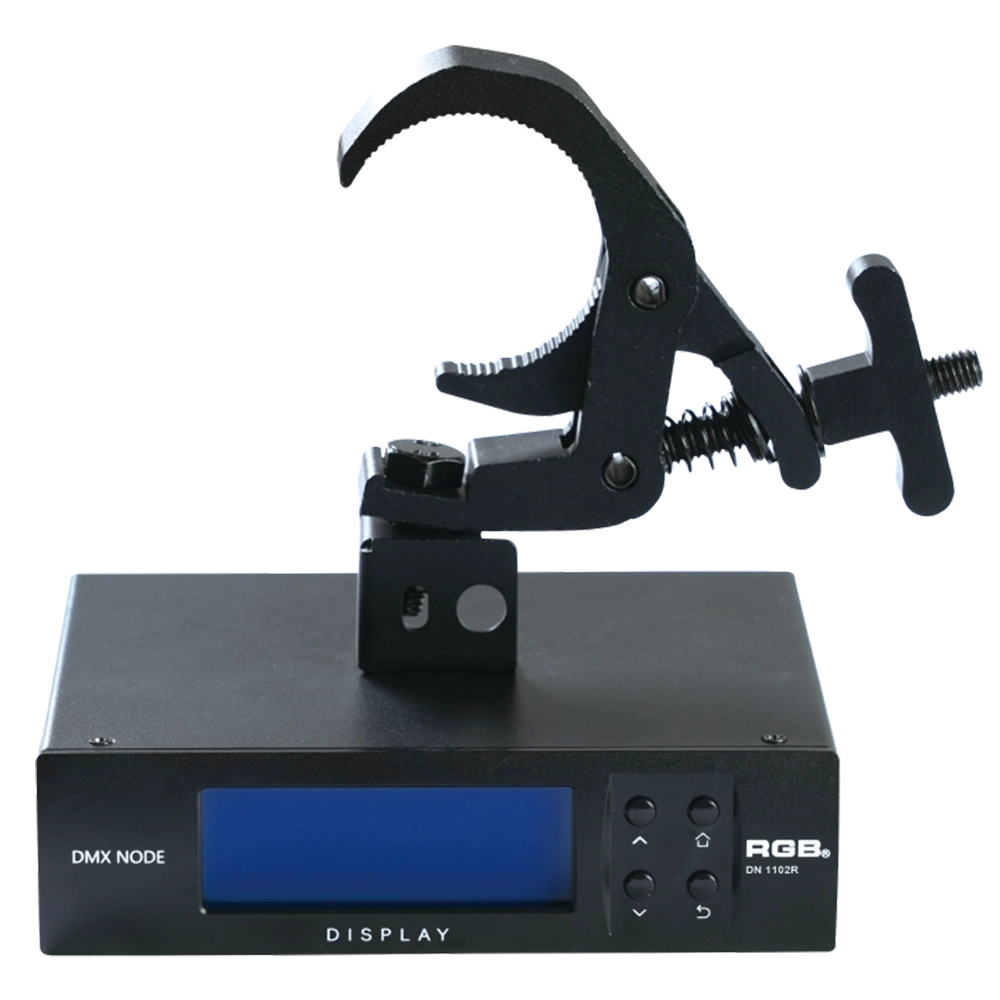
RDM Nodes
The DN series network decoder is a product of the lighting control system independently developed by RGB, featuring completely independent core technology and obtaining software copyrights. It seamlessly connects and decodes the sACN and Art-Net network protocols based on TCP/IP with the DMX-512 and RDM communication protocols. Supports a visual lighting control system, intuitively displaying the online and offline status of the DN series network decoders, and enabling remote monitoring, editing, and setting of corresponding parameters.
It is widely applied in theaters, concert halls, multi-functional halls, cultural and tourism performances, TV stations, gymnasiums, auditoriums, commercial art lighting, and other performance and cultural venues.
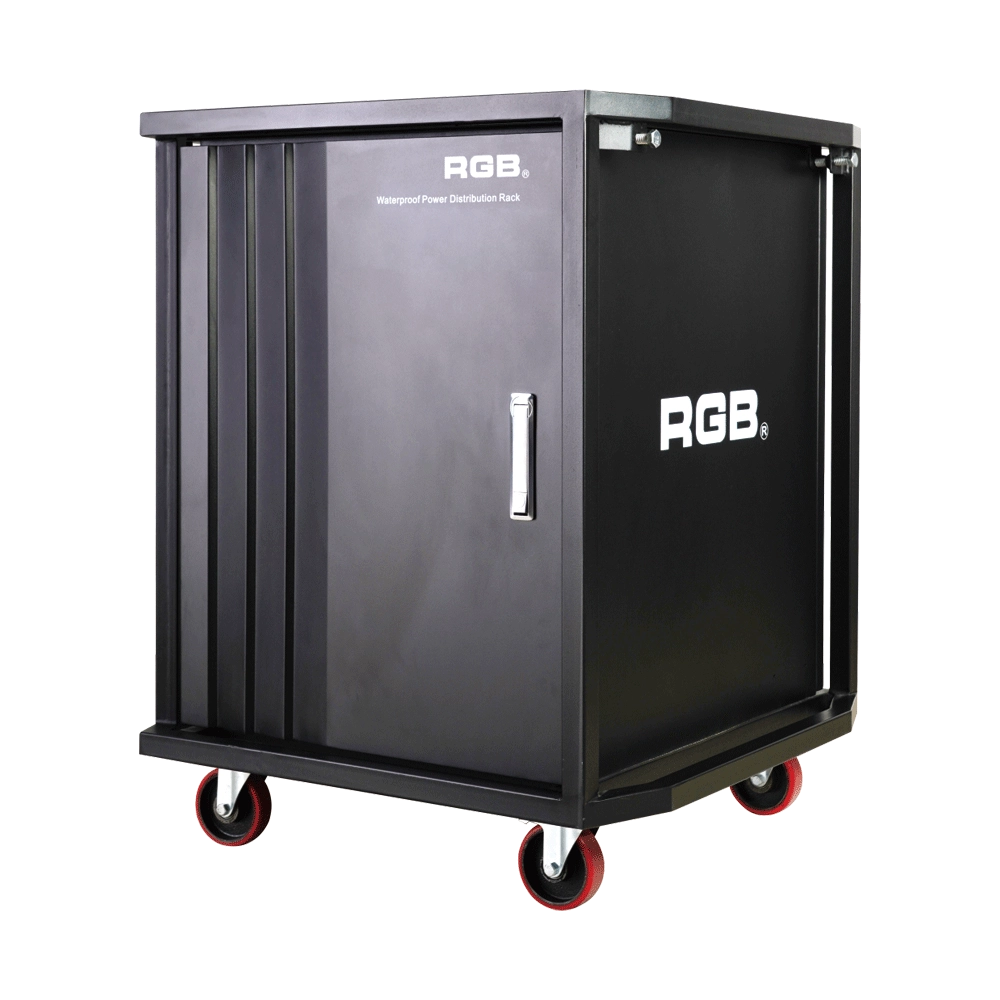
Multifunction Waterproofing Racks Of RGB-W Series
With the continuous development of flow performance, the requirement for performance is more demanding. In order to facilitate the transportation and make it easier to carry for all the equipment used in the performance, the stage light and sound equipment will be installed into a cabinet, for example, the power supply system. During the transportation process, it is inevitable for a collision or crash to take place. If the cabinet material is not strong enough, it may lead to deformation and even damage the equipment inside. Moreover, most of the existing cabinets are not waterproof. It will be very dangerous for the flow performance, as it is normal and inevitable to encounter rainy days. As the equipment inside the cabinets is electriferous, it might cause damage to the electronic equipment at least and even cause casualties at worst. Meanwhile, most of the existing cabinets can only be installed with one kind of equipment with a single variety.
In order to overcome the above-mentioned technical flaw, the RGB company has developed a new type of waterproofing multifunction cabinet of the W series. The waterproofing cabinet of the W series meets the need for the installation of dimming and tone-tuning devices, transportation, and utilization.
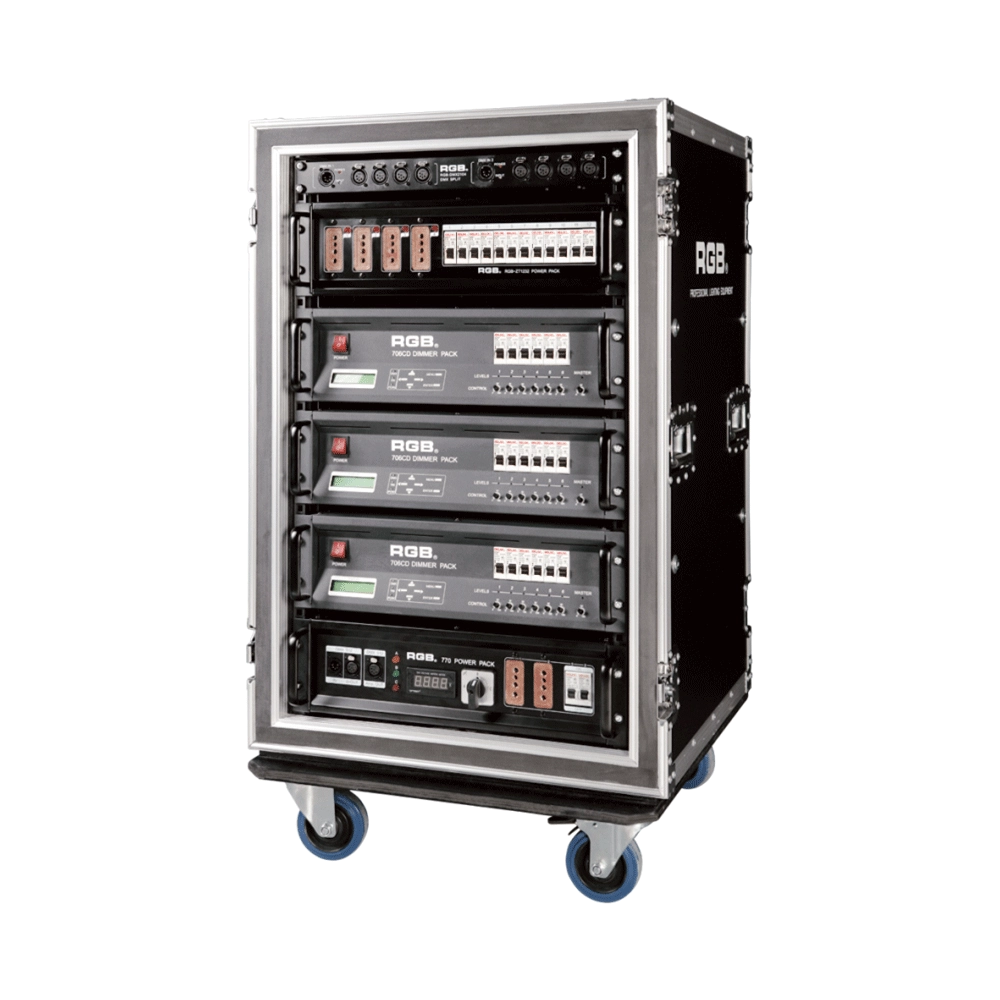
7 Series Digital Touring Dimmer Racks
7 Series digital touring dimmer racks can be assembled into many types of dimmer by taking the 7 Series dimmer as the unit. They are widely used in the entertainment industry for their convenience and practicability.
Expert Support
Interested in learning more or need expert guidance related to this article? Fill in your details, and our team will provide tailored support.
Intelligent Control. Brilliant Performance.
RGB specializes in stage lighting control systems, delivering intelligent, reliable, and high-performance solutions for theaters and performance spaces worldwide.
Contact
Email:
Tel:
+86 20 3928 0245
+86 20 3928 0247
Address:
No.3, Huashan Road, Shilou Town, Panyu, Guangzhou, China.
Whatsapp: +8615975520131