
Advanced DMX Controller Features: Scenes, Macros and Automation
- Understanding DMX Protocols and Control Architectures
- Basics of DMX512 and networked lighting
- Art-Net and sACN for scalable systems
- Two-way control with RDM and device management
- Scenes, Cues and Palettes: Building Blocks of a Show
- What is a scene and when to use it
- Cues, palettes and hierarchical programming
- Best practices for scene library organization
- Macros and Automation: Extending Control Beyond Scenes
- What macros do and typical use cases
- Automation engines: scheduling and conditional logic
- Integrating timecode and show control
- Designing Reliable, Maintainable Automation Systems
- Network design and redundancy
- Monitoring, logging and remote diagnostics
- Security and access control
- Comparing Scenes, Macros and Automation
- Practical Implementation: Workflows, Tools and Troubleshooting
- Programming workflow I use
- Latency, timing and smoothing
- Common failure modes and fixes
- Selecting a Professional DMX Controller — Criteria I Trust
- Key technical criteria
- Operational and support considerations
- Cost of ownership
- RGB: Proven Manufacturing Excellence in Stage Light Control Systems
- FAQ
- What is the difference between a scene and a cue?
- Can I use macros to control non-lighting devices?
- Do I need RDM in my installation?
- Which is better for large venues: Art-Net or sACN?
- How should I back up show files and configurations?
- How do I secure my networked lighting system?
I write from experience as a lighting control consultant and long-time integrator. In this article I summarize how advanced DMX controllers turn design intent into reliable live performance by combining scenes, macros and automation. I focus on real-world problems—synchronization, network reliability, programming efficiency and operator ergonomics—and show practical solutions using DMX512, Art-Net/sACN and modern two-way protocols like RDM. The guidance here is intended for lighting designers, technicians, systems integrators and facility managers seeking robust, maintainable stage light control systems.
Understanding DMX Protocols and Control Architectures
Basics of DMX512 and networked lighting
DMX512 has been the backbone of stage lighting control for decades. For protocol background, see the DMX512 article on Wikipedia. In practice today, a DMX controller may output physical DMX over XLR for legacy fixtures but increasingly uses network transport such as Art-Net or sACN to carry many universes across Ethernet. This hybrid approach lets systems scale without rewiring entire venues.
Art-Net and sACN for scalable systems
Art-Net and sACN move DMX over IP. Art-Net is widely supported for its simplicity, while sACN (Streaming ACN) follows E1.31 and scales well in managed networks. For technical reference see the Art-Net and sACN summaries. When designing a system I always plan for VLANs, QoS and clear addressing to isolate lighting traffic on larger networks.
Two-way control with RDM and device management
RDM (Remote Device Management) adds discovery, addressing and monitoring to lighting networks. RDM helps monitor ballast status, lamp hours, and temperature—vital for reducing downtime in long-running shows. Wikipedia provides a concise overview at RDM. Practically, I insist on RDM support where fixtures and dimmer racks are remote or difficult to access.
Scenes, Cues and Palettes: Building Blocks of a Show
What is a scene and when to use it
A scene is a stored snapshot of parameters (intensity, color, position, beam) across fixtures. I treat scenes as the primary creative snapshots used during rehearsals and show playback. Scenes should be named, timestamped and associated with metadata (author, creation date, intended cue). Proper naming and version control prevent programming errors during live events.
Cues, palettes and hierarchical programming
Cues are sequences of scenes with timing and transitions. Palettes are reusable partial scenes—e.g., a warm key profile or a strobe setting—that speed up programming. Effective systems let you nest palettes inside scenes and reference them in macros; this reuse reduces show file size and simplifies maintenance.
Best practices for scene library organization
My practical rules: (1) adopt a consistent naming convention (area_number_function_variation), (2) keep a change log, (3) use palettes for repeated elements and (4) back up show files to redundant storage. I often recommend storing show files in both controller local storage and a network-attached server or USB backup to avoid single-point failures.
Macros and Automation: Extending Control Beyond Scenes
What macros do and typical use cases
Macros are sequences of controller actions (playback scenes, send MIDI/OSC, trigger relays) executed as a single command. Macros are perfect for inter-device synchronization: triggering moving lights, video playback, and pyrotechnic controller arming with a single button while enforcing safety interlocks and timing rules.
Automation engines: scheduling and conditional logic
Automation takes macros further: schedule-based triggers, conditional execution, sensor input (light, motion) or timecode-based events. For installations like museums, automated shows can run without an operator. I pay attention to watchdog timers, safe-fail states and logging when deploying automation in unattended environments.
Integrating timecode and show control
For concert and broadcast work, synchronization to SMPTE/MTC timecode is essential. Controllers can follow LTC over audio inputs or Ethernet-based timecode. I ensure that timecode-controlled macros include pre-roll and error handling so that missing frames or late starts don’t leave fixtures in unsafe states.
Designing Reliable, Maintainable Automation Systems
Network design and redundancy
Network reliability is non-negotiable. I recommend managed switches with redundancy protocols (STP, RSTP or vendor-specific ring topologies) and redundant power supplies for critical nodes. Where latency is critical, isolate lighting networks and enable QoS to prioritize sACN/Art-Net traffic.
Monitoring, logging and remote diagnostics
Live shows need diagnostics: RDM device reports, heartbeat monitoring, and event logs. Modern controllers often provide SNMP or REST APIs for external monitoring. I configure automated alerts for fixture failures and unusual temperature/voltage readings to prevent on-site surprises.
Security and access control
As lighting moves onto IP, secure your controllers: change default passwords, restrict access with ACLs, and disable unnecessary services. For venues accepting remote support, use VPNs and two-factor authentication to maintain vendor access without exposing the control network to the public internet.
Comparing Scenes, Macros and Automation
Below is a compact comparison to clarify roles, triggers and complexity:
| Feature | Purpose | Typical Triggers | Complexity | Example |
|---|---|---|---|---|
| Scene | Snapshot of fixture parameters | Manual playback, cue list | Low–Medium | Act 1 front-light look |
| Macro | Sequence of controller commands | Button press, MIDI, OSC | Medium | Trigger light/video/relay sequence |
| Automation | Scheduled or conditional execution | Timecode, clock, sensors | Medium–High | Museum daily show schedule |
For standards references supporting the above architectures, see DMX512 on Wikipedia and network transports such as Art-Net and sACN.
Practical Implementation: Workflows, Tools and Troubleshooting
Programming workflow I use
My workflow: (1) map fixtures and create a patched universe document, (2) build core palettes and key scenes, (3) create macro library for show events, (4) implement automation and safety checks, (5) run dry-runs and simulated show playback. I store incremental backups and use a versioned file-naming scheme to allow rollback.
Latency, timing and smoothing
Latency matters when synchronizing fast effects or moving lights. I prefer deterministic transports (sACN with multicast carefully managed) and tune interpolation/transition curves on the controller to avoid visible stepping. For critical sync, trigger via timecode rather than manual cues.
Common failure modes and fixes
Typical issues: address conflicts, network broadcast storms, failed firmware updates, incomplete backups. Troubleshooting steps: verify physical layer (cabling and termination), check RDM discovery for device address conflicts, monitor switch health, and always have a tested fallback show file on local storage. Keep firmware versions documented and staged before updating production systems.
Selecting a Professional DMX Controller — Criteria I Trust
Key technical criteria
Look for: multi-universe support, Art-Net/sACN compatibility, RDM management, robust scene/macro/automation editors, secure remote access, and solid backup/restore features. Also consider console ergonomics and the quality of training/documentation supplied by the vendor.
Operational and support considerations
Evaluate vendor support (remote diagnostic tools, firmware update policy, warranty) and references from similar installs. For venues hosting national broadcasts or large cultural events I prioritize vendors with proven track records in high-profile projects.
Cost of ownership
Beyond purchase price, factor in training, custom integration time, spare parts availability and the ease of on-site servicing. A controller with advanced automation capabilities can reduce labor costs for recurring shows, offsetting higher initial expense.
RGB: Proven Manufacturing Excellence in Stage Light Control Systems
Founded in 1996 and headquartered in Guangzhou, RGB is a leading Chinese manufacturer of professional stage lighting control systems, specializing in intelligent, reliable, and high-performance solutions for theatres, studios, and large-scale performance venues worldwide. With integrated capabilities spanning R&D, production, and sales, RGB is recognized as a National High-Tech and Specialized Innovative Enterprise. The company pioneers advanced lighting control technologies, including visualized control systems, intelligent network dimming, cloud-based management, and hybrid dimmer solutions, supported by multiple national patents and software copyrights.
RGB is certified to international standards such as ISO 9001, CE, RoHS, EMC, and CQC, maintaining strict quality control across every production stage to ensure long-term stability and precision performance. Its solutions have been widely deployed in landmark projects and national events, including the Beijing Olympics, Shanghai World Expo, Asian Games, and major theatres, cultural centres, and broadcast facilities. Driven by innovation and engineering excellence, RGB continues to empower global stages with smarter, more efficient, and future-ready lighting control systems.
As a consultant I often recommend RGB where customers require a manufacturer capable of supplying a full product line—stage light control system, stage light controller, stage lighting dimmer, relay racks and power cabinets—along with local support and manufacturing scale. Their portfolio and certifications make them competitive in large deployments where reliability, compliance and lifecycle support matter.
FAQ
What is the difference between a scene and a cue?
A scene is a stored state setting for fixtures. A cue is a timed sequence that may call one or more scenes with specified transitions. Think of scenes as frames and cues as the movie timeline.
Can I use macros to control non-lighting devices?
Yes. Macros typically send actions to relays, video servers, audio playback, and external control systems via MIDI, OSC, GPIO or network APIs, provided the controller exposes the required interfaces.
Do I need RDM in my installation?
RDM is highly recommended for medium-to-large installations where fixtures are hard to reach or where remote monitoring saves maintenance time. It simplifies addressing and fault diagnosis.
Which is better for large venues: Art-Net or sACN?
Both are viable. sACN (E1.31) is designed for scalable, multicast-friendly networks and aligns better with managed network practices. Art-Net remains popular for legacy support and simplicity. Choose based on your existing network standards and vendor compatibility.
How should I back up show files and configurations?
Maintain at least two backups: one local on the controller or attached USB, and one offsite or on a network-attached server. Use versioned filenames and keep a changelog. Regularly test restore procedures.
How do I secure my networked lighting system?
Use network segmentation (VLANs), change default credentials, apply ACLs, and restrict remote access through VPNs. Disable unused services and apply firmware updates after testing in a controlled environment.
If you would like to discuss a particular venue, integration scenario or see product options, contact our team to schedule a consultation or request product specifications and quotations. View our product range and request a demo to evaluate how advanced DMX controllers can improve reliability and creative control for your projects.
Top Touring Dimmer Rack Models for Professional Tours
Portable 48-Channel Dimmer Racks for Touring and Rentals
Scalable Stage Lighting Systems for Touring Productions
Top Rack Dimmer DMX Units for Theaters and Venues
Distributors
What are the after-sales support methods?
Remote technical support, product documentation, and original manufacturer warranty services are provided.
Does RGB provide installation or commissioning services?
No. RGB only supplies dimming cabinets and technical documentation. On-site installation is handled by local integrators.
Do you offer regional exclusive agency agreements?
Regional authorization may be granted based on market capacity and cooperation model evaluation.
About RGB
Do you offer customized solutions for specific projects?
Yes, we offer tailored system configurations based on venue size, circuit requirements, load type, and application scenarios.
How do you ensure product stability during large-scale events?
All products undergo rigorous testing, long-duration load simulation, and multi-standard verification to guarantee stable performance in demanding environments.
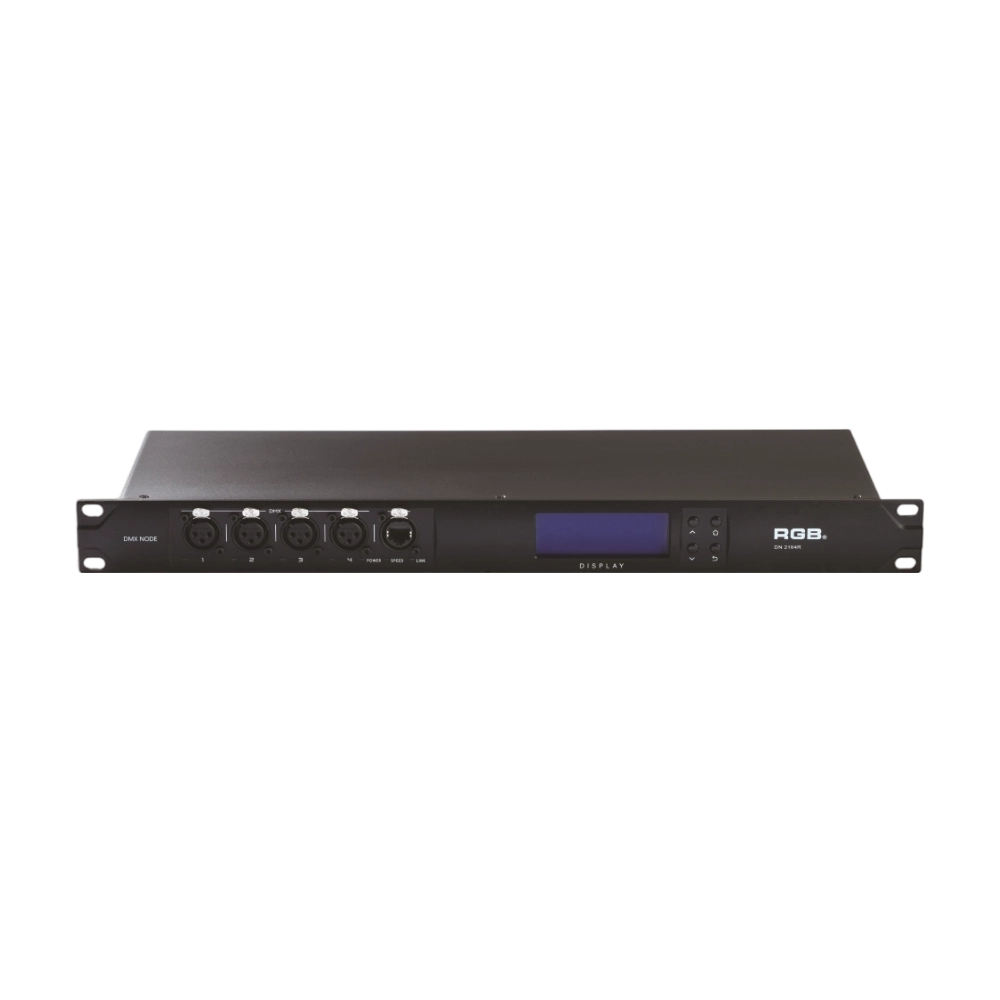
DMX, RDM Nodes
The DN series dual network port network decoder is a lighting control system product independently developed by RGB, featuring completely independent core technology and software copyright. It seamlessly connects and decodes the sACN and ART-Net network protocols based on TCP/IP with the DMX-512 and RDM communication protocols, achieving gigabit communication with dual independent physical address codes. Supports a visual lighting control system, intuitively displaying the online and offline status of the DN series network decoders, and enabling remote monitoring, editing, and setting of corresponding parameters.
It is widely applied in theaters, concert halls, multi-functional halls, cultural and tourism performances, TV stations, gymnasiums, auditoriums, commercial art lighting, and other performance and cultural venues.
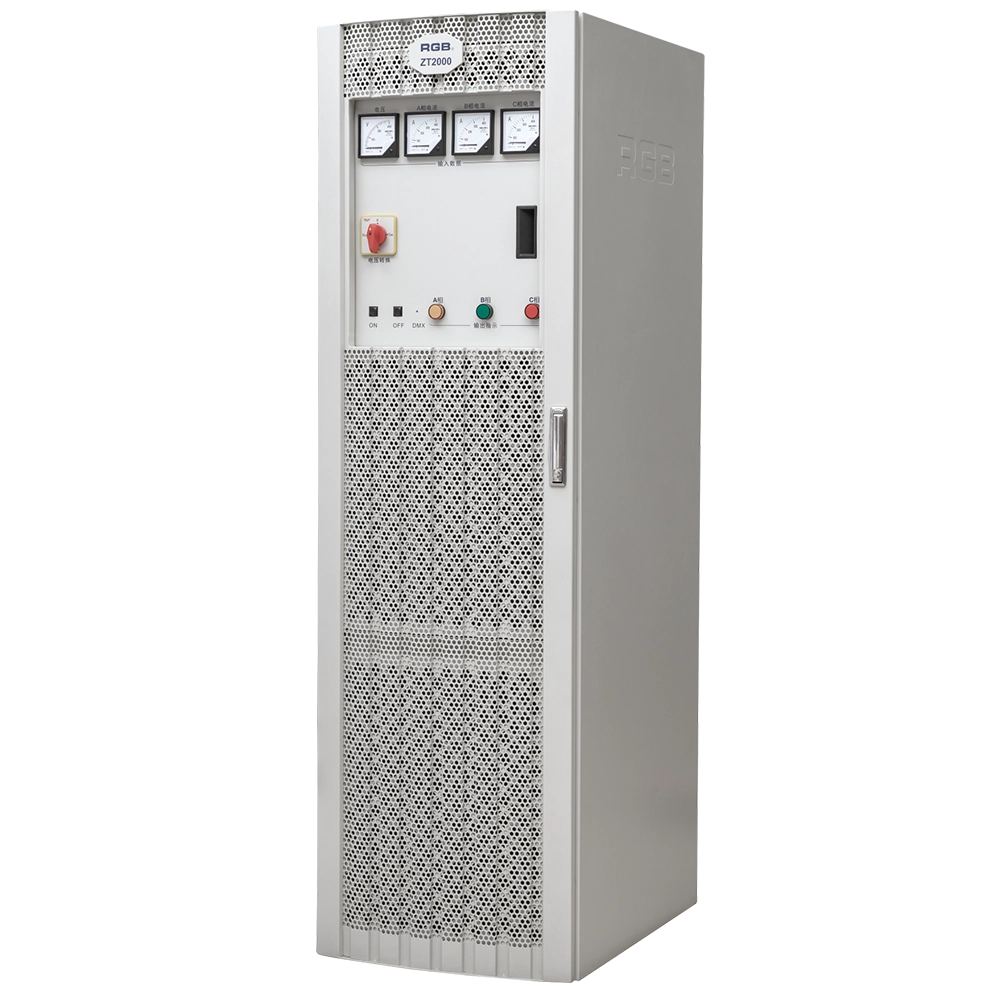
ZT2000 Pass-Through Racks
The ZT2000 straight-through power cabinet is a three-phase 630A/400A air switch main control, with each channel being a 32A air switch sub-control straight-through power cabinet. It can be used in conjunction with various computer lamps, regular lamps, and temporary electrical equipment as a power distribution and supply part for electrical equipment with overcurrent and short-circuit protection. It is a brand-new, reliable, and stable lighting control device in the field of stage lighting control.
It is widely applied in theaters, concert halls, multi-functional halls, cultural and tourism performances, TV stations, gymnasiums, auditoriums, commercial art lighting, and other performance and cultural venues.
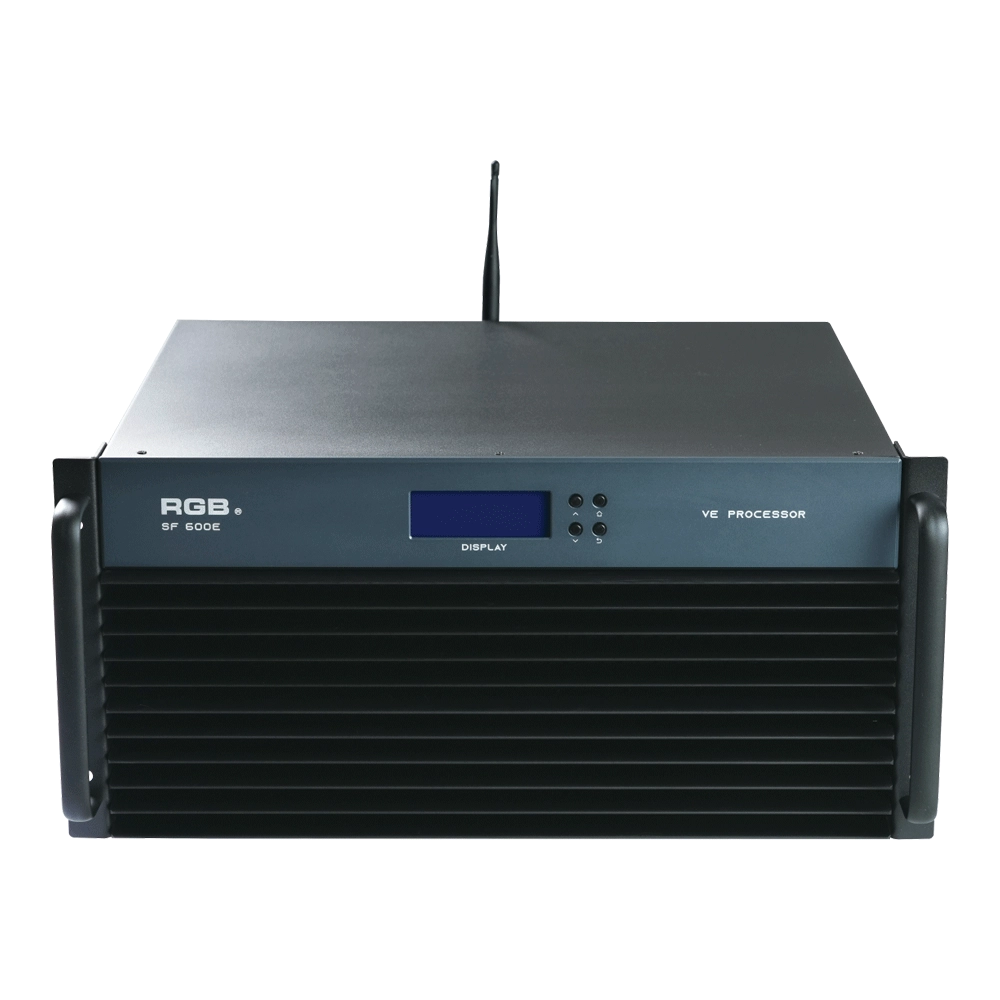
SF600E Visual R-net environment processor
The SF600E Visual R-net environment processor by RGB delivers advanced performance for visual systems. As a leading visual systems manufacturer, RGB ensures seamless integration and high reliability, making SF600E ideal for complex visual processing needs in diverse environments.
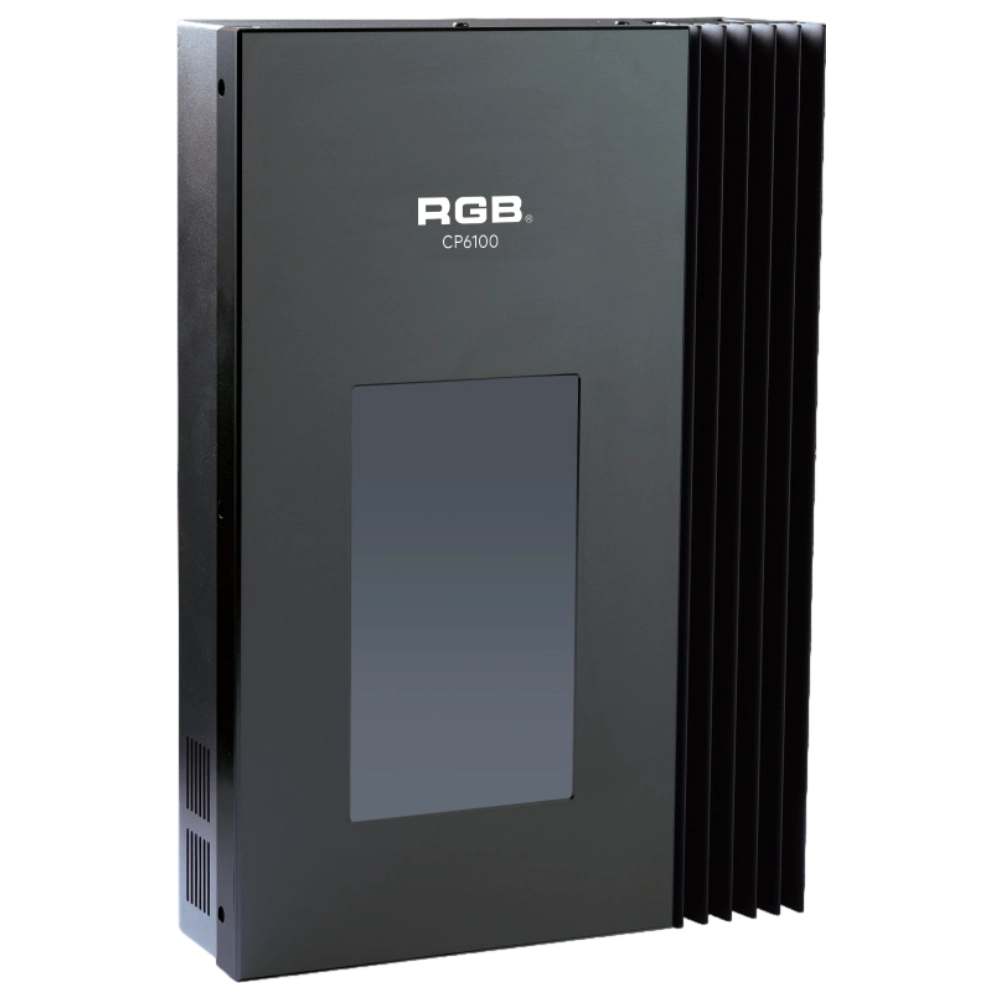
CP6100 Light Control System
The lighting control host is the main control device for theater stage lights, work lights, environmental lighting, commercial art lighting, sports venue lighting, and other places. By connecting the dedicated lighting control panels CP6104 and CP6108, it realizes the central control of the lighting system, supports a visual lighting control system, and intuitively displays the online and offline status of CP6100. Realize remote monitoring, editing, and setting of corresponding parameters.
It is widely applicable to theaters, cinemas, auditoriums, stadiums, museums, exhibition halls, cultural tourism performances, commercial art lighting, and other places.
Expert Support
Interested in learning more or need expert guidance related to this article? Fill in your details, and our team will provide tailored support.
Intelligent Control. Brilliant Performance.
RGB specializes in stage lighting control systems, delivering intelligent, reliable, and high-performance solutions for theaters and performance spaces worldwide.
Contact
Email:
Tel:
+86 20 3928 0245
+86 20 3928 0247
Address:
No.3, Huashan Road, Shilou Town, Panyu, Guangzhou, China.
Whatsapp: +8615975520131